

What Is Domain Hosting? A Beginner’s Guide
TL;DR: Domain hosting is the service that stores your website’s files on an internet-connected server and sends them to visitors when they enter your domain name. Your website needs 2 separate pieces: the domain is its address, while hosting provides the storage and server infrastructure that makes the site accessible.
Buying a domain can feel like buying a street address and then wondering why your website still does not appear. I have seen beginners pay for a name, skip hosting, and lose hours blaming DNS when the real issue is that a registered domain is not a website and still needs hosting or another service. That confusion matters in a crowded market: the global domain-name base reached 386.9 million registrations at the end of Q4 2025. This guide explains domains, hosting, DNS, server requests, hosting types, plan choices, and how to connect your domain to hosting through AVM Cloud.
| Point | Details |
|---|---|
| Domain versus hosting | A domain is the readable web address, while hosting stores and serves the website files behind it. |
| DNS connects both | DNS maps your domain to the server’s numeric IP address so browsers can find your website. |
| Hosting enables access | A hosting provider keeps your website files available from its servers across phones, tablets, and computers. |
| Choose by requirements | Shared hosting often suits a new site, while VPS or cloud hosting may handle 10,000 or more monthly visitors with greater control. |
| Connection needs setup | Launching usually means pointing nameservers or DNS records, uploading files, installing a CMS, and testing the domain before going live. |
Domain Hosting Explained: What You’re Actually Buying
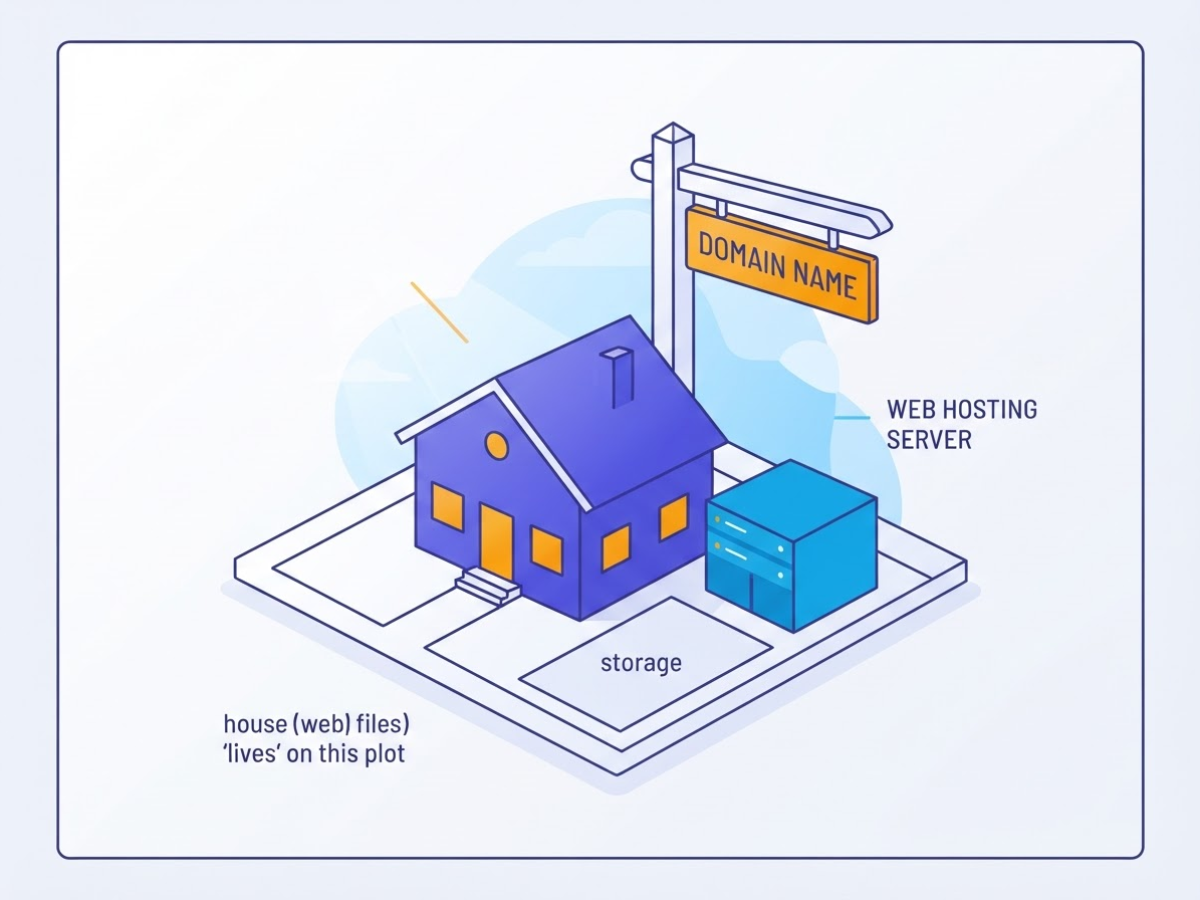
When I help someone launch a site, “domain hosting” is usually the first confusing phrase they use. It sounds like one product, but it normally combines two separate purchases: a domain name and web hosting. Think of the domain as your street address and the hosting account as the property where your site lives. The address points visitors in the right direction; it does not provide the land, building, or storage.
A domain registration alone does not publish a website. ICANN explains that a registered domain is not the same as a website and still needs web hosting or another service before visitors can access an online presence. DNS connects the name to the relevant server, but the server still needs actual files to deliver.
| Service | What it provides |
|---|---|
| Domain registration | The name people type, such as example.com |
| Website hosting | Server space for your site’s files and application |
| Email hosting | Mailboxes such as you@example.com |
| Website files | HTML, images, code, themes, uploads, and databases |
Web hosting stores website or web-application files on servers and makes them available across devices, as AWS’s definition of web hosting makes clear. A typical plan may include disk space, bandwidth, a control panel, database access, backups, technical support, and optional email accounts. Check the limits carefully. “Unlimited” bandwidth often comes with fair-use rules, and backups may be stored for only a few days or excluded from restoration support.
Hosting can serve a plain static site, a WordPress or other CMS website, a web application, or an online store. The underlying needs differ: a brochure site may need only files and bandwidth, while an online store also needs databases, security updates, payment integrations, and reliable backups. Email hosting is separate, even when a provider bundles it with web hosting. A mailbox does not host your website, and website hosting does not automatically guarantee professional email delivery.
Pro Tip: Before buying a plan, list the site files, database, email, and traffic needs separately; they may not all require the same service.
For a practical comparison, see this guide to web hosting versus a domain name, then consider which hosting resources your site will actually use. The next section looks at how these services connect when someone types your domain into a browser.
How a Domain Gets a Website on Screen
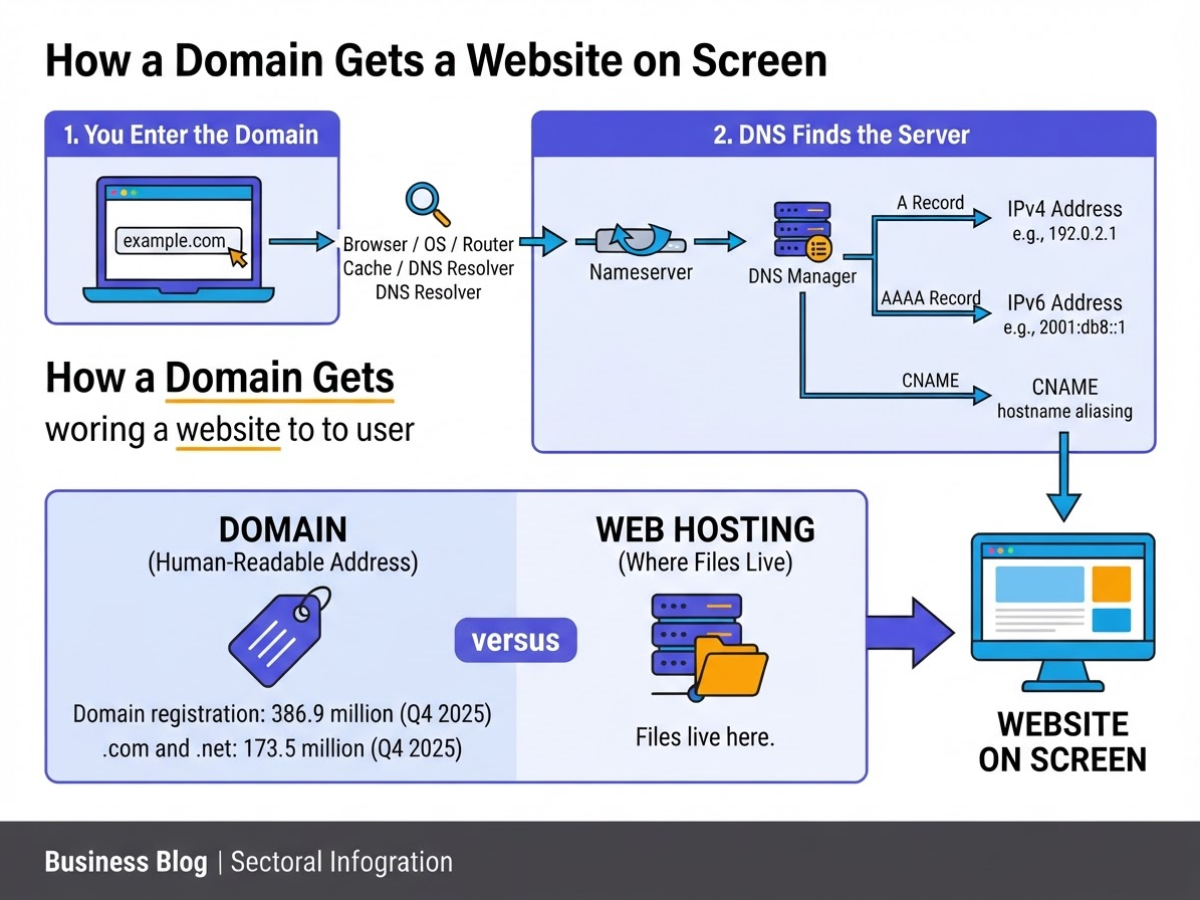
Type a domain into a browser and several separate services begin working together. The domain itself is only the human-readable address. The files must live on a hosting server, which is why a domain and web hosting are not the same thing.
- You enter the domain. You type
example.comor click a link. The browser checks its own cache, your operating system, and sometimes your router for a recently saved DNS answer. If it finds none, it asks a DNS resolver to locate the address. - DNS finds the server. DNS maps a domain name to the numeric IP address of an internet resource. Nameservers tell the resolver which DNS manager holds the domain’s records. An A record usually points the domain to an IPv4 address, while an AAAA record points to IPv6. A CNAME can point one hostname to another.
- The browser sends an HTTP request. Once it has an IP address, the browser contacts the hosting server and requests the page. This DNS-first, HTTP-second sequence is the part people often skip when they say “the domain hosts the site.” It does not. The request reaches a web server, such as Apache or Nginx, that knows which files or application belongs to that domain.
- The server responds. The hosting server returns an HTTP response containing a status code, headers, and usually HTML. It may also run application code, query a database, or send a redirect before returning anything useful. A missing file, incorrect domain mapping, or server outage can produce a 404 or 500 error even when DNS works perfectly.
- The browser assembles the page. It reads the HTML, then fetches linked CSS, JavaScript, images, and fonts. After processing those resources, it paints the page on screen. Slow third-party scripts and oversized images often cause the final page to appear in stages.
Keep the roles separate: the registrar registers your domain, the DNS manager stores its records, the hosting provider rents the underlying service, and the web server delivers your website files. One company can provide all four, but they remain different jobs.
Pro Tip: When troubleshooting, check DNS resolution before changing website files; a correct site can appear offline when the domain points to the wrong server.
DNS changes may not appear everywhere immediately because resolvers and browsers cache records for their time-to-live period. A change can show within minutes for one visitor and remain old for others for several hours, sometimes longer if caches ignore or extend the stated duration. With that path clear, the next question is what domain hosting actually includes.
Which Hosting Type Fits Your First Website?
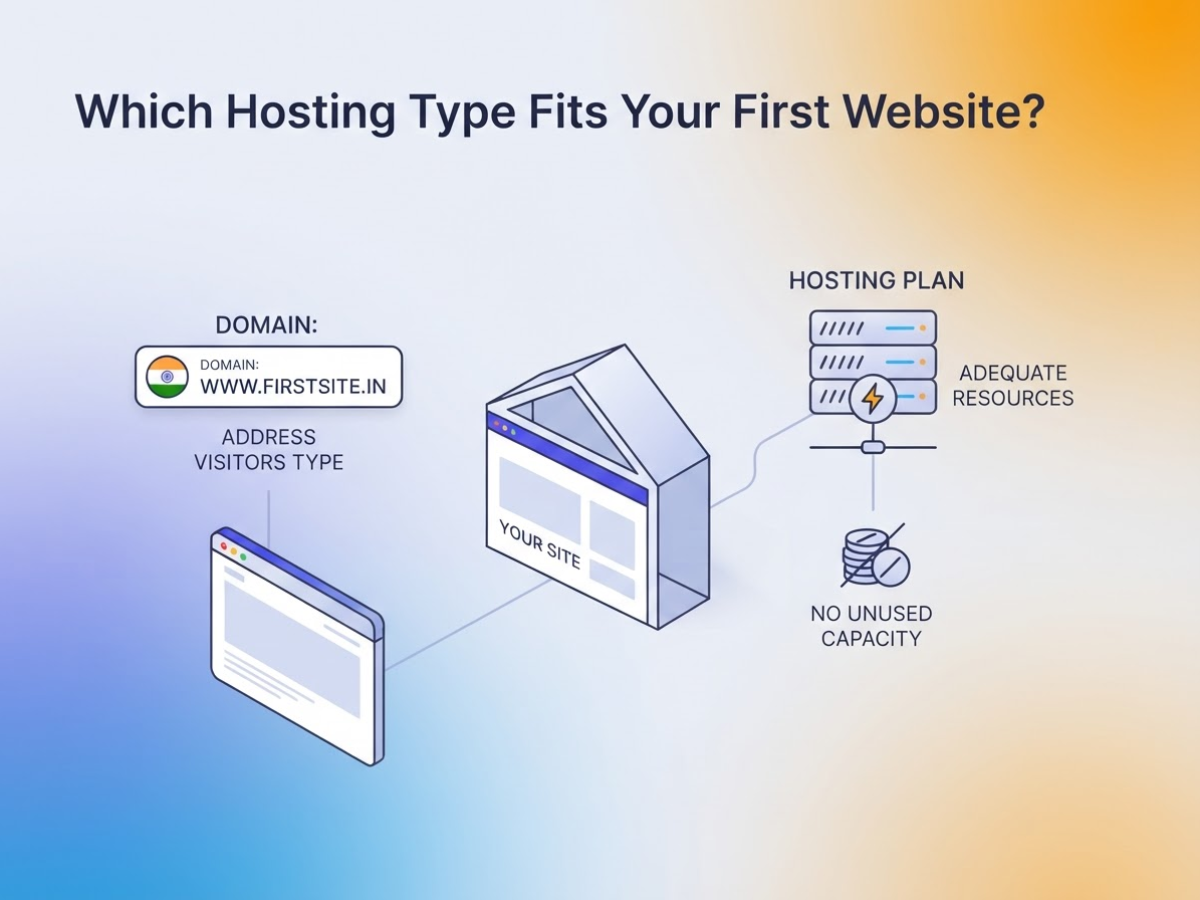
The first hosting plan I usually recommend is not the one with the longest feature list. It is the one that gives your current site enough headroom without making you pay for server work you will never touch. Hosting providers supply the infrastructure that makes a website reachable online, while your domain remains the address visitors type into the browser (W3Techs explains this hosting role).
| Hosting type | Best starting point | Main trade-off | Control and maintenance |
|---|---|---|---|
| Shared | Portfolio, blog, small business site | Lowest price, but neighbours share server resources | Low control; provider handles the server |
| VPS | Busy site, custom application, online store | More expensive and more technical | More control; you may manage updates and security |
| Cloud | Uneven traffic or a growing application | Flexible capacity can cost more and billing is less predictable | High control; setup depends on the provider |
| Dedicated | Heavy workloads or strict isolation needs | Highest cost and often unnecessary for a first site | Maximum control; much more administration |
| Managed hosting | Anyone who wants provider assistance | You pay extra and accept limits on configuration | Provider assists with updates, security, backups, and server tasks |
Shared hosting suits most first websites. A photographer’s portfolio, a personal blog, or an early-stage company site rarely needs a private server. You get a control panel, email options, basic backups, and a low monthly bill. The irritation is that another account on the same machine can sometimes consume CPU or memory, causing slower pages during a busy spell. Read the renewal price and resource limits, not just the introductory offer.
VPS hosting becomes sensible when your site needs a specific software stack, more predictable resources, or stronger separation from other customers. It is a common next step for a growing store or a resource-heavy application. You also inherit jobs that shared hosting hides, including patching, firewall settings, monitoring, and recovery planning. Our guide to shared versus VPS hosting covers that jump in practical terms.
Cloud hosting fits traffic that arrives in bursts or applications that may need several servers. It can handle growth more flexibly than a single machine, but careless settings can produce an unpleasant bill. Dedicated hosting is for sustained CPU, memory, storage, compliance, or isolation requirements. Buying it for a five-page brochure site is usually wasted money.
Pro Tip: Estimate your next 12 months of traffic and application needs rather than choosing only from today’s page count or introductory price.
Managed hosting can sit on shared, VPS, cloud, or dedicated infrastructure. Choose it when you want help with updates, security, backups, and server administration, especially if nobody on your team enjoys debugging a failed deployment at midnight. Compare the included support carefully because “managed” does not always cover application errors or custom changes.
Choose the category that matches your workload and technical confidence, then check the provider’s limits before buying. Your next decision is how the domain, DNS, files, and server connect when someone visits your site.
How to Start Domain Hosting: A Practical Setup Path
A clean launch starts with ownership, not a hosting checkout page. I have seen people buy hosting first, then discover that an old developer still controls the domain account. Work through these steps in order:
- Choose the domain and secure access. Register a name that is easy to spell, or use an existing domain if you can sign in to its registrar account. ICANN-accredited registrars register domain names, while registry operators maintain each top-level-domain registry. Turn on registrar two-factor authentication and confirm that your email address is current.
- Match the hosting plan to the site. A basic business site or blog usually starts comfortably on shared hosting. An online store, membership site, or busy application may need more CPU, memory, or a VPS. Check storage, expected monthly traffic, free SSL, backup frequency, support hours, and the renewal price, not just the introductory offer. My web host selection checklist covers the charges providers often hide until checkout.
- Point the domain to the server. Your host will either provide nameservers or specific DNS records. Replace the domain’s nameservers, or add the required A record for the root domain, CNAME for
www, and MX and TXT records for email and verification. DNS maps a readable domain to the server’s numeric IP address, so one incorrect character can send visitors somewhere else. - Put the site on the account. Use the host’s one-click CMS installer, such as WordPress, or upload your files to the document root, often named
public_html. If the site uses PHP, a store, or another database-backed system, create the required database and user, then enter those credentials in the configuration file. A frequent beginner mistake is uploading a folder containing the site instead of the files themselves, leaving the homepage one directory too deep. - Turn on HTTPS and protect the account. Issue the host’s SSL certificate, force HTTP to HTTPS, and create email records before setting up addresses such as
hello@example.com. Enable automatic updates where safe, use strong administrator passwords, restrict unused accounts, and schedule backups. Test a backup restore once. A backup that has never been restored is only a hope. - Test the public result. Open both
example.comandwww.example.com, check redirects, resize the page on a phone, submit every form, and confirm that messages arrive and replies reach the sender. Check images, menus, checkout steps, and password resets before sharing the link.
If the domain shows the wrong site, recheck nameservers and A or CNAME records, then allow DNS changes time to propagate. If HTTPS warns, install the certificate for both hostnames and remove mixed-content links. If you see a blank page or missing files, verify the document root, file permissions, database credentials, and uploaded paths. With those checks complete, your next priority is keeping the live site maintained rather than merely online.
What to Check Before Paying for Hosting
Before you enter card details, treat the hosting plan like a contract, not a discount banner. I have seen small businesses choose a ₹99 introductory offer, then discover that renewal costs, paid migrations, or missing email accounts change the real price. Compare the renewal rate, storage, visitor limits, CPU allocation, and included resources for at least two billing cycles.
Check the provider’s uptime commitment, but read the remedy attached to it. A percentage without a service-credit policy tells you little. For an Indian audience, test latency from your main customer region and ask where the data centre is located. Also confirm whether support works through phone, live chat, and tickets, whether migration is free, and how cancellation, refunds, backups, and account closure work. A cancellation button that leads to three sales calls is a warning sign.
Common mistakes include:
- Buying the cheapest first-year plan without checking its renewal price.
- Treating “unlimited” bandwidth or storage as genuinely unlimited when fair-use rules apply.
- Ignoring CPU, RAM, inode, entry-process, or concurrent-process limits until a site slows down.
- Assuming daily backups exist without checking their frequency, retention period, and restore charge.
- Choosing a distant server when most visitors are in India, or paying extra for a local server when your audience is global.
- Assuming a host will update WordPress, PHP, plugins, and security settings for you.
Look beyond the headline storage figure. SSD or NVMe storage, CPU and RAM limits, inode counts, process limits, and bandwidth rules affect a busy WordPress site more than a large gigabyte number. Confirm SSL, malware scanning, account isolation, and software versions, then establish who handles updates. For a practical feature comparison, these web-hosting checks are more useful than a provider’s sales badge.
Ask what you actually get: business email, databases, staging, control-panel access, and one-click installs may be included, restricted, or sold separately. If you need several mailboxes, compare mailbox storage and sending limits rather than assuming hosting email will replace a dedicated service. A separate business email setup may be the cleaner choice for a growing team.
For India-based customers, billing in rupees, GST invoices, UPI or familiar card options, and support during Indian business hours can remove needless friction. My pre-purchase checklist is simple: renewal price, server location, limits, backups, security, support, migration, cancellation, included tools, and payment method. Match the plan to today’s site, then review it when traffic, orders, or team email outgrow the current limits before the next section covers ongoing hosting costs.
My honest take on domain hosting for beginners
I have seen many first-time business owners treat “domain hosting” as one purchase. It is not. I explain it as three separate decisions: your domain is the name people type, hosting is the environment that stores and runs your website, and DNS connects that name to the right website, email inbox, or other service. Mixing these roles creates avoidable trouble when you change a host or add business email.
Here is the contrarian part: the cheapest advertised plan is often not the lowest-cost option. A low first-year price can become expensive after renewal, a rushed migration, repeated downtime, or support that only responds with copied instructions. For a small business in India, losing enquiries for even a few hours can cost more than the original saving.
I usually recommend starting with a simple setup that you can maintain without hiring a developer for every small change. Do not pay for server capacity your five-page company site will never use. I would consider an upgrade when traffic grows, the application needs a particular runtime or database, resource limits trigger errors, or you need backups, monitoring, and operational support beyond a basic plan. The boring setup is usually the one you can troubleshoot at 10 p.m. when a client says the site is down.
— AVM Cloud Content Strategy Team
Ready to connect your domain to reliable hosting?
If you understand that a domain is your address and hosting is the space where your site lives, AVM Cloud gives you a practical next step. You can compare affordable domain and web hosting options for a personal site, shop, or growing business without treating the two purchases as the same thing.
The setup still has a few irritating parts. You need to choose a plan, point the domain’s DNS records to the hosting account, and wait for those changes to take effect before publishing. Start with this practical guide to choosing cheap website hosting in India, then review the guide to buying a cheap domain in India. These resources give you a clearer route from comparing options to connecting your domain and putting the site online.
Frequently Asked Questions
Can I have a domain name without hosting?
Yes. You can register and hold a domain for 1 year or longer without buying web hosting, but it will not show a website until you connect it to hosting or another online service. You can still use the domain for email, forwarding, or redirection, although an unused domain often confuses visitors.
Is domain hosting the same as web hosting?
No, they are 2 different services. Domain registration reserves your web address, while web hosting stores and delivers your website files; treating them as one product can make billing and setup problems harder to diagnose.
How long does it take to connect a domain to hosting?
You can usually add the domain and change its DNS records in 10 to 30 minutes. The changes may take up to 48 hours to appear consistently because networks cache DNS information, and a wrong record or long TTL can extend the wait.
Do I need hosting for a WordPress website?
A self-hosted WordPress website normally needs 3 things: a domain, web hosting, and a database. WordPress.com and similar managed services may include hosting, but check the plan’s storage limits, plugin access, theme rules, and domain terms before paying.
Can I change my web host without changing my domain name?
Yes. You can keep the same domain and point its DNS records or nameservers to the new host, but copy the files and database, test the site, and leave the old account active for at least 24 to 72 hours after the switch.
Recommended reads
- Web Hosting Vs Domain Name The Difference
- What To Look For In A Web Host Check These 7 Tips
- Shared Vs Vps Hosting Know Which Is The Best Option
- Cheap Website Hosting India A Practical Guide
Sources
- About Domain Names
- What is Web Hosting? – Web Hosting Service Explained
- DNS – Glossary
- How the web works – Learn web development
- The Domain Name Registration Process – ICANN
- Domain Name Industry Brief Quarterly Report | Q4 2025 | Verisign Blog
- DNIB.com Reports Internet Has 386.9 Million Domain Name Registrations at the End of the Fourth Quarter of 2025
- Usage Survey of Web Hosting Providers broken down by Ranking
- A Note from our Executive Director – Let’s Encrypt