

Business Email Hosting: Setup and Buying Guide
TL;DR: Business email hosting gives your team professional addresses such as name@yourcompany.com, plus shared mailboxes, security controls, storage, and support. Compare mailbox capacity, uptime, spam protection, authentication, migration help, device support, and total cost, then configure your DNS records and test delivery before moving everyone over.
Using a personal Gmail address for business can feel convenient until a customer questions your credibility or an employee leaves with important messages still tied to their account. You also lose central control over access, passwords, backups, and company data. That matters when 75% of online adults worldwide use email at least once per month, making email a routine part of how customers judge and contact a business. This guide explains how to choose business email hosting, check mailbox and security requirements, configure DNS, plan migration checks, and avoid common mistakes, with practical context for Indian businesses and budget-conscious teams.
| Point | Details |
|---|---|
| Use Your Domain | A branded address such as name@company.com keeps business communication tied to a domain your organisation owns. |
| Compare Mailbox Capacity | Microsoft lists 100 GB user mailboxes for several Microsoft 365 Business plans, but providers differ. |
| Authenticate Your Email | Configure SPF, DKIM, and DMARC as 3 core safeguards against spoofing and delivery problems. |
| Plan DNS Changes | Allow up to 48 hours for DNS propagation, then verify MX, SPF, DKIM, and DMARC records before moving every user. |
| Separate Campaign Emails | Send bulk campaigns through a dedicated email marketing service instead of ordinary employee mailboxes to protect day-to-day delivery. |
What Is Business Email Hosting?
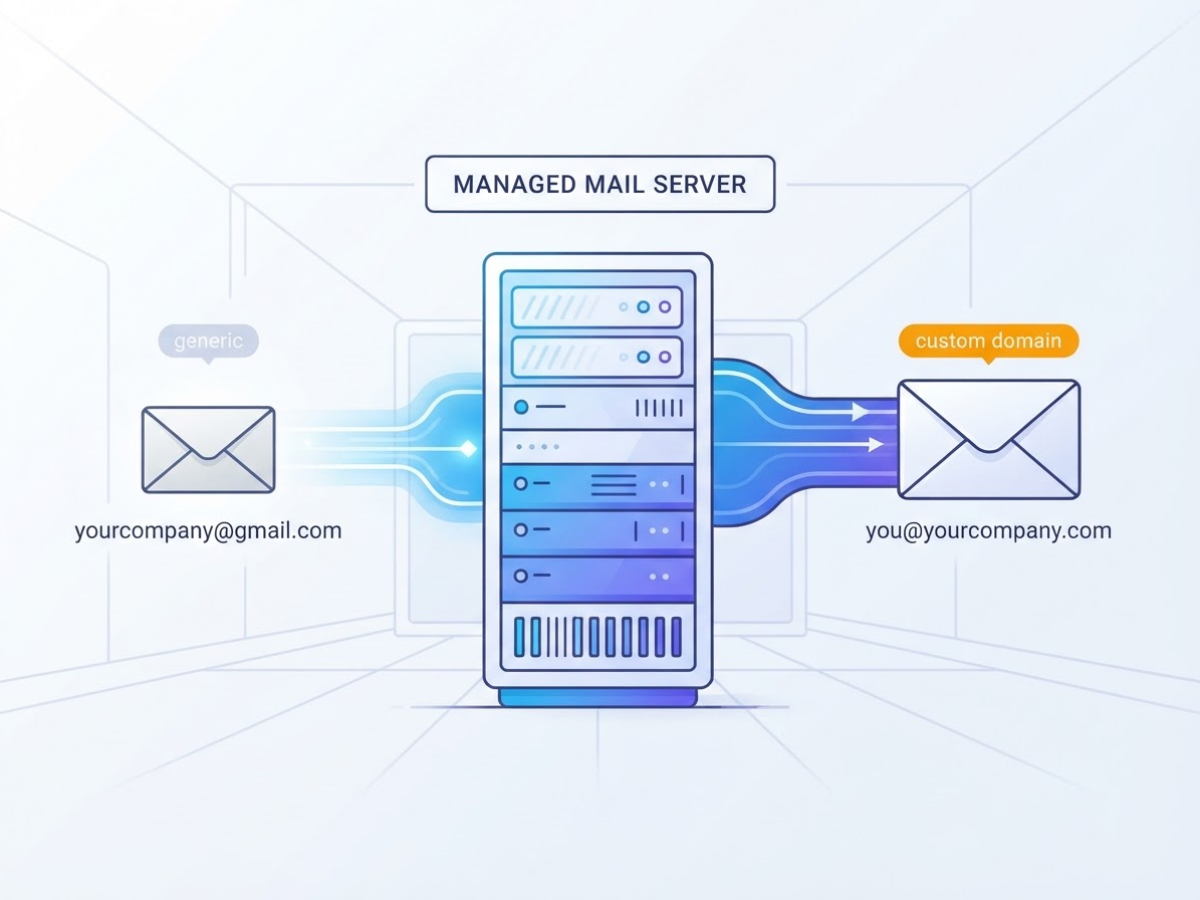
Business email hosting is a service that stores and delivers your company’s email on managed mail servers. Instead of using an address such as yourcompany@gmail.com, you use a custom domain, such as you@yourcompany.com, while the provider handles the mailbox software and server maintenance.
When I help teams set this up, the confusing part is that “hosting” can mean three different things:
| Service | What it does |
|---|---|
| Domain registration | Gives you ownership of yourcompany.com for a yearly fee |
| Website hosting | Stores the files that make your website load |
| Email hosting | Stores and sends messages for addresses using your domain |
You can buy a domain without building a website, or host a website with one company and email with another. Changing your website host does not automatically move your mailboxes. You must configure email records, usually through DNS, and migrate old messages separately. This domain mail setup guide for business email covers that distinction in more detail.
A typical hosted mailbox includes webmail in a browser and access through iOS or Android apps. Depending on the plan, you may also get shared calendars, contacts, aliases such as sales@yourcompany.com, forwarding rules, spam filtering, and administrator controls for passwords, storage, security policies, and user access.
That central administration is the main difference from free personal email. If an employee leaves, you can suspend the account, preserve its messages, forward incoming mail, and assign the address to someone else. With a personal account created by an employee, the business may lose customer history or struggle to recover the login. That is an avoidable mess.
Business email hosting is also not email marketing software. A mailbox handles one-to-one correspondence and normal team communication. A marketing platform manages campaigns, unsubscribe requests, subscriber lists, and bulk sending. Sending newsletters from ordinary mailboxes is a good way to trigger limits and damage delivery.
Pro Tip: Check whether the advertised price covers one mailbox, one domain, or a complete team plan before comparing providers.
When comparing plans, check mailbox storage, uptime history, spam and phishing protection, backup options, support hours, calendars and shared files, plus migration tools. Seventy-five percent of online adults worldwide use email at least once per month, so reliability matters before extra features do.
Next, look at the features that separate a basic mailbox from a useful business email system.
Who Needs Hosted Business Email?
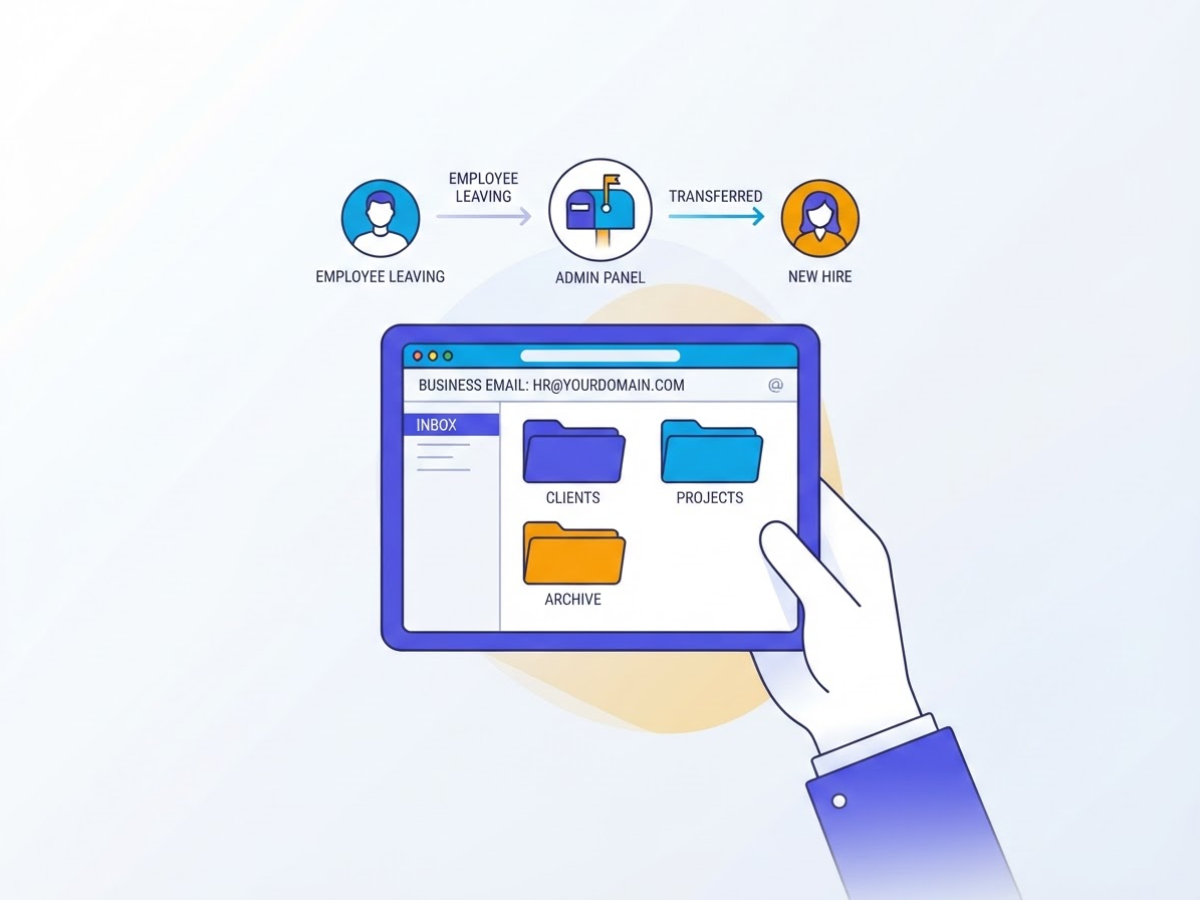
In client onboarding, I use one test first: will losing one person’s inbox disrupt the business? If the answer is yes, a free personal address has already become a liability. A domain-based mailbox gives you control over access, identity, and records when people join, leave, or change roles.
| Organisation | Hosted email usually makes sense when… |
|---|---|
| Freelancer | You want name@yourdomain instead of a personal Gmail address for proposals and invoices. |
| Startup | Founders need branded addresses, shared documents, and clean employee offboarding. |
| Local business | Customers contact sales, bookings, or billing and expect a credible reply. |
| Agency | Several clients, account managers, and project aliases must stay organised. |
| Ecommerce company | Orders, returns, shipping, and support need separate queues. |
| School | Staff, departments, and student-facing services need controlled accounts. |
| Larger team | Administrators need permissions, retention rules, and predictable account recovery. |
A personal inbox becomes awkward when an employee leaves and customers still write to rahul@gmail.com. You cannot reliably transfer ownership, audit access, or stop that person from receiving future messages. Shared passwords create a second problem: nobody knows who changed the settings, and one mistake can lock everyone out.
Most teams need only a few role-based addresses at first: sales@, support@, billing@, and careers@. Use aliases when several people should receive the same message, but use a shared mailbox when staff must see replies and conversation history. Setup is not always pleasant, especially when DNS records, mobile passwords, and spam filters do not line up on the first attempt.
Pro Tip: Create role-based aliases for public-facing functions, but assign a real owner or shared mailbox so customer messages never depend on one employee.
For Indian businesses, cost matters, but so does support that answers when a mailbox stops working. Choose a plan that works reliably on Android, iPhone, desktop mail apps, and webmail, rather than one that is cheap only until you add users. Seventy percent of Indian internet users aged 16 and older use email monthly, so poor access quickly becomes a daily operational nuisance. For setup decisions, compare the email service for business setup guide before committing to a plan.
The next question is what features and safeguards your team actually needs.
Business Email Hosting vs Google Workspace and Microsoft 365
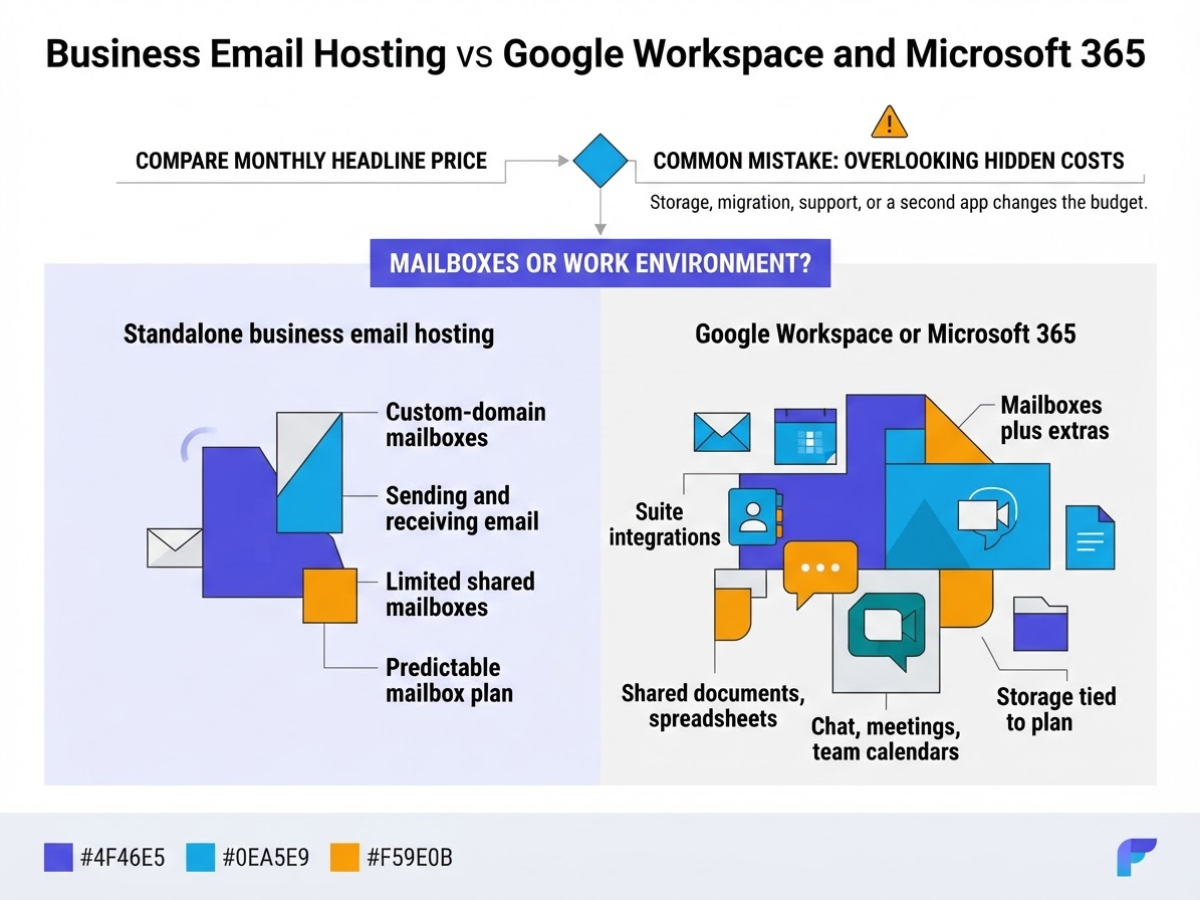
The choice usually comes down to whether you need mailboxes or a complete work environment. I have helped small teams make this decision, and the mistake is predictable: they compare the monthly headline price, then discover that storage, migration, support, or a second app changes the budget.
| Area | Standalone business email hosting | Google Workspace or Microsoft 365 |
|---|---|---|
| Inboxes | Custom-domain mailboxes focused on sending and receiving email | Mailboxes plus calendars, contacts, filters, and suite integrations |
| Collaboration | Usually limited to shared mailboxes, forwarding, or basic calendars | Shared documents, spreadsheets, chat, meetings, and team calendars |
| Storage | Often easier to choose a small, predictable mailbox plan | Storage is tied to the suite plan and may be pooled or policy-based |
| Administration | Simpler controls for domains, users, aliases, and spam settings | More settings, roles, security policies, devices, and audit controls |
| Support | Usually direct provider support, with plan-dependent response times | Large knowledge bases and formal support tiers, but some issues take patience |
| Monthly cost | Usually lower when you only need email | Higher per user, but it can replace separate document and meeting tools |
Mailbox capacity can make the difference for teams with large archives. Microsoft lists 100 GB user mailboxes for Business Basic, Business Standard, and Business Premium. In India, Google Workspace Business Base calculates storage as 20 GB multiplied by the number of end users, so five users produce a 100 GB storage pool under that rule, not 100 GB for each person. Check the allocation carefully before moving old mail.
A low-cost host is usually the sensible pick for a five-person company that needs addresses such as sales@ and billing@, but not shared spreadsheets or video meetings. Suites earn their price when staff edit the same proposal, schedule client calls, and store working files every day. Paying for a full suite and then using only Outlook or Gmail is one of the more common wasteful setups I see.
Build your comparison with this formula: 12-month total = users × monthly price × 12 + paid aliases or extra storage + migration fees + backup costs + taxes, then apply the renewal price. Confirm whether aliases are free, whether backups restore individual messages, and whether support helps with DNS and migration. A Google Workspace email hosting setup guide can help you estimate the setup work, which is often more annoying than the subscription itself.
Pro Tip: Price the next 12 months, including renewal rates and extra users, because a low introductory plan can become expensive as the team grows.
Use a simple decision matrix: choose standalone hosting if email is the only required tool, and choose Google Workspace or Microsoft 365 if shared documents, meetings, and productivity applications justify the extra per-user charge. Next, compare the mailbox features and controls you will actually use.
How to Set Up Business Email Hosting
- Prepare the domain and inventory. Confirm that you control the domain through your registrar before touching mail settings. List every current mailbox, forwarding rule, alias, distribution list, and service account, then decide which addresses need real sign-in access.
sales@,support@, andinvoices@often work better as shared addresses than as separate paid users. Record mailbox sizes and any migration constraints too. Missing one old forwarding rule is a common reason messages appear to “vanish” after the switch. - Create users and shared addresses. Add employee mailboxes in the hosting control panel, then create shared addresses and aliases such as
hello@orbilling@. Give each user a unique password and require multifactor authentication where the provider supports it. Add recovery contacts that belong to the company, not an employee’s personal phone number. For a provider-specific walkthrough, this domain mail setup guide for business email is useful when you are checking the control-panel sequence. - Lower the DNS TTL before switching. If your DNS host allows it, reduce the MX record TTL to 300 seconds several hours before the change. This does not make every receiving server obey instantly, but it shortens the period during which old and new routes can conflict. Keep the previous email service active during this window and throughout verification.
- Publish the provider’s DNS records exactly. Replace the old MX records with the mail servers shown by your host, including priority values. Add the exact SPF TXT record, DKIM record, and a DMARC record supplied or recommended by the provider. Do not copy values from another domain. If you send more than 5,000 messages per day to personal Gmail accounts, Google requires SPF, DKIM, and DMARC, so treat authentication as essential rather than a later cleanup task.
- Test before announcing the change. Send and receive messages between internal users, an external address, a mobile app, and major webmail services such as Gmail and Outlook.com. Check spam placement, attachments, signatures, automatic replies, aliases, shared-mailbox replies, and calendar invitations. Test replies from a shared address specifically. That small check catches a surprisingly large number of permission mistakes.
- Migrate and roll out in stages. Copy historical mail with the provider’s migration tool or a verified IMAP process, starting with one test account. Confirm folders, dates, attachments, and sent mail before moving everyone. Roll out to a small group first, keep the old service available until delivery works in both directions, then update employee devices and publish the new login instructions.
- Document ownership and offboarding. Store admin credentials in a company password manager, and record billing ownership, renewal dates, DNS access, recovery contacts, and support details. Write an offboarding checklist that disables sign-in, transfers files and mailbox access, preserves required records, removes forwarding rules, and redirects business-critical mail. After the rollout, your next priority is keeping those accounts secure as the team changes.
Business Email Hosting Mistakes to Avoid
I have seen small teams treat email as an afterthought until one missed invoice or locked mailbox stops work. The cheapest setup often becomes expensive when nobody knows who controls the domain, where messages are stored, or how to recover an account.
Common mistakes include:
- Using personal Gmail as the company mailbox: A personal Gmail account is not a sensible central address for sales, support, or billing. Google may restrict sending after more than 500 recipients in one email or more than 500 emails in a day. You also lose clear ownership when the employee who opened the account leaves.
- Publishing the wrong SPF record: An SPF record must name the services allowed to send for your domain. Multiple SPF records, a typo, or an old provider left in the record can cause authentication failures. Keep one valid SPF record and review it whenever you add a help desk, CRM, or website form.
- Skipping DKIM or rushing into DMARC: DKIM signs outgoing messages, while DMARC tells receiving servers what to do when authentication fails. Do not publish a strict DMARC policy before checking every legitimate sender, including invoices, password resets, newsletters, and contact forms. Otherwise, you can block your own mail.
- Sending every type of message from one system: Transactional mail, employee correspondence, newsletters, and bulk marketing have different sending patterns. Put them on appropriate systems with separate sender identities and monitoring. A newsletter complaint should not damage the delivery of password-reset messages.
- Sharing administrator credentials: Give each administrator an individual account, require multifactor authentication, and remove former employees immediately. Shared passwords make it difficult to investigate a breach and nearly impossible to prove who changed a mailbox or DNS record.
- Buying on mailbox price alone: Check backup frequency, retention periods, restore testing, support hours, uptime commitments, abuse handling, and account-recovery rules before you compare plans. “Backup included” is vague unless you know how quickly you can restore one deleted mailbox.
- Changing MX records without a rollback plan: Save the old DNS records, record the intended TTL, and confirm the new values before switching. Test inbound and outbound mail from different networks, then allow for DNS propagation. The domain mail setup guide is useful during this handover, but your own change log matters more.
These checks prevent most avoidable outages. After them, compare providers by control, recovery, and day-to-day support rather than by storage figures alone.
How to Measure Your Email Hosting Setup
A mailbox can look fine while your business email hosting quietly loses sales, invoices, or support replies. After launch, I check the numbers and run actual send-and-receive tests rather than trusting a provider’s uptime badge.
Use this review schedule:
- After 7 days: Record delivery success, bounce rates, spam complaints, mailbox usage, support response times, and any service interruptions. Send test messages to Gmail, Outlook, and a client’s domain. Confirm that users can work from webmail, desktop Outlook or Apple Mail, and mobile apps without duplicate or missing messages.
- After 30 days: Check every legitimate sender, including your website, CRM, billing tool, newsletter platform, and help desk. SPF should authorise the sender, DKIM should pass, and DMARC should align with your domain. A green result for employee mail does not prove that your invoice system is authenticated.
- After 90 days: Compare the results with limits you set before launch. Investigate storage above 80%, support replies slower than one business day, repeated outages, bounce rates above 2%, or spam complaints approaching 0.1%. Google advises bulk senders to stay below a 0.1% spam rate and avoid 0.3% or higher.
- Every quarter: Review users, aliases, shared mailboxes, inactive accounts, billing, forwarding rules, MFA, SPF, DKIM, DMARC, backups, and retention. Test recovery by restoring a deleted message or temporarily disabling a test account. If recovery takes hours, the backup plan is theoretical, not operational.
Email demand also keeps climbing. Worldwide traffic is projected to reach 392.5 billion messages per day in 2026, so rising volume can expose weak limits sooner than expected. Set upgrade triggers for 20% team growth, shared mailboxes that regularly exceed their limits, storage near capacity, or recovery that misses your agreed recovery time.
Keep the checks documented in your business email setup guide. When delivery, authentication, capacity, or recovery repeatedly misses your thresholds, compare migration costs with another quarter of workarounds. The next decision is whether your current hosting still fits the team’s workload.
My honest take on business email hosting
I have seen small businesses choose email hosting by mailbox size or brand recognition, and both shortcuts cause trouble. The provider with the largest storage plan is not automatically the right choice. In fact, many teams overbuy a full productivity suite when they mainly need dependable custom-domain email, while others underbuy and later spend days fixing migration errors, locked accounts, or poor deliverability.
I start with business continuity instead. Who owns the domain? Who has administrator access if the founder leaves? Can you remove a former employee without deleting their business records? How quickly can you recover missing mail, and which website, CRM, newsletter tool, or invoicing system sends messages using your domain? Those questions matter more than another 20 GB of storage.
For Indian small businesses, I weigh the monthly price against security controls and the quality of support. Cheap hosting becomes expensive when nobody helps during a DNS mistake or an SPF failure. Before committing, I recommend testing one pilot mailbox, documenting every DNS change, and comparing the full 12-month cost, including migration, backups, aliases, and account recovery. That process feels slower at the start, but it exposes the annoying gaps that sales pages rarely mention.
— AVM Cloud Content Strategy Team
Set up reliable business email with AVM Cloud
If you want business email hosting on your own domain but would rather not untangle DNS records alone, AVM Cloud’s DomainAdda is a practical place to start. When we help small teams set this up, the frustrating parts are usually mailbox limits, confusing DNS instructions, and discovering too late that an alias or old mailbox needs moving.
Start with our business email setup guide to see what the process involves, or review this domain mail setup guide for business email before choosing an option. DomainAdda focuses on affordable hosting, branded addresses, mailbox management, and guidance through the technical steps. Before you decide, count your users, list required aliases, estimate storage, and note any migration needs. Those details matter more than chasing a plan with features your team will never use.
Frequently Asked Questions
Can I use my existing domain for business email hosting?
Yes. You can usually connect an existing domain by verifying ownership and adding or replacing its MX records, but you must keep access to your registrar because DNS control is required for setup. Plan for up to 48 hours of DNS changes to settle, and avoid deleting your old mail service until new messages arrive reliably.
How many email addresses should a small business have?
Start with 1 named mailbox for each active user, then add role-based addresses such as sales@ or support@ when customers need a clear contact point. Use aliases or shared mailboxes for addresses that do not need separate logins, because paying for 5 extra accounts that nobody checks is a common waste.
Is business email hosting the same as email marketing?
No. Business email hosting handles one-to-one and team messages from your domain, while email marketing tools manage campaigns, subscriptions, delivery reports, and bulk sending to large lists. Keeping them separate is usually safer, since a poorly performing campaign can damage the reputation of the domain employees use every day.
How long does it take to move a company email to a new host?
A small setup can take 2 to 4 hours, but copying mailboxes, updating DNS, testing devices, and checking forwarding rules can extend the move. Run a pilot with 1 mailbox first, and keep the old service active until you confirm incoming and outgoing delivery for every critical address.
Does business email hosting include a website?
Not necessarily. Email hosting, website hosting, and domain registration are separate services, even when one provider bundles them into a single plan. Check the order carefully for the number of mailboxes, storage per account, backup terms, and support hours instead of assuming the bundle includes all 3 services.
Recommended reads
- Email Service For Business Setup Guide
- Google Workspace Email Hosting Setup Guide
- Domain Mail Setup Guide For Business Email
- Email Server For Business Setup And Selection Guide
Sources
- Email Statistics Report, 2022-2026 – Executive Summary
- Digital 2025: email is still essential — DataReportal – Global Digital Insights
- FEB 2025 # USE OF EMAIL PERCENTAGE OF INTERNET USERS AGED 16+ WHO USE EMAIL SERVICES EACH MONTH
- Exchange Online limits – Service Descriptions | Microsoft Learn
- Google Workspace storage FAQ for admins | Set up & manage services | Google Workspace Help
- Limits for sending & getting mail – Gmail Help
- Email sender guidelines – Gmail Help
- Email sender guidelines FAQ – Gmail Help
- 2026 Cyberthreat Report: DMARC Adoption Trends | Sendmarc
- The State of Business Email | Exclaimer Report