

Cheap Website Hosting India: A Practical Guide
TL;DR: Cheap website hosting in India suits portfolios, small business sites, blogs, and early-stage stores when it includes SSL, email, databases, migration help, and dependable support. Compare the full 12-month cost, domain limits, renewal price after year one, performance features, and upgrade options instead of choosing the lowest introductory rate.
Choosing cheap website hosting in India can feel like a trap: the lowest annual price may hide weak uptime, missing email, poor security, or slow loading. You want to keep costs sensible, especially for a personal site, freelance portfolio, or small business, but a bargain that causes downtime is not a bargain. The audience is large too: TRAI recorded 995.63 million broadband subscribers in India at the end of September 2025. In this guide, you’ll learn how to match hosting to your site, compare annual plans, check package inclusions, launch your website, test performance, and spot misleading introductory pricing across DomainAdda and alternatives.
| Point | Details |
|---|---|
| Check Annual Cost | Compare the complete 12-month price with the renewal rate instead of judging a plan by its discounted monthly headline. |
| Match Domain Limits | A 1-domain plan works for one site, while 3-domain or unlimited-domain hosting suits multiple projects. |
| Prioritise Essentials | Check for SSL, email accounts, databases, migration help, and backups before paying extra for unlimited storage. |
| Test Real Performance | Use Google’s practical targets of 2.5 seconds LCP, under 200 milliseconds INP, and under 0.1 CLS. |
| Plan For Growth | Choose a host with clear upgrade options before traffic, domain count, or application needs outgrow the starter plan. |
What Does Cheap Website Hosting in India Include?
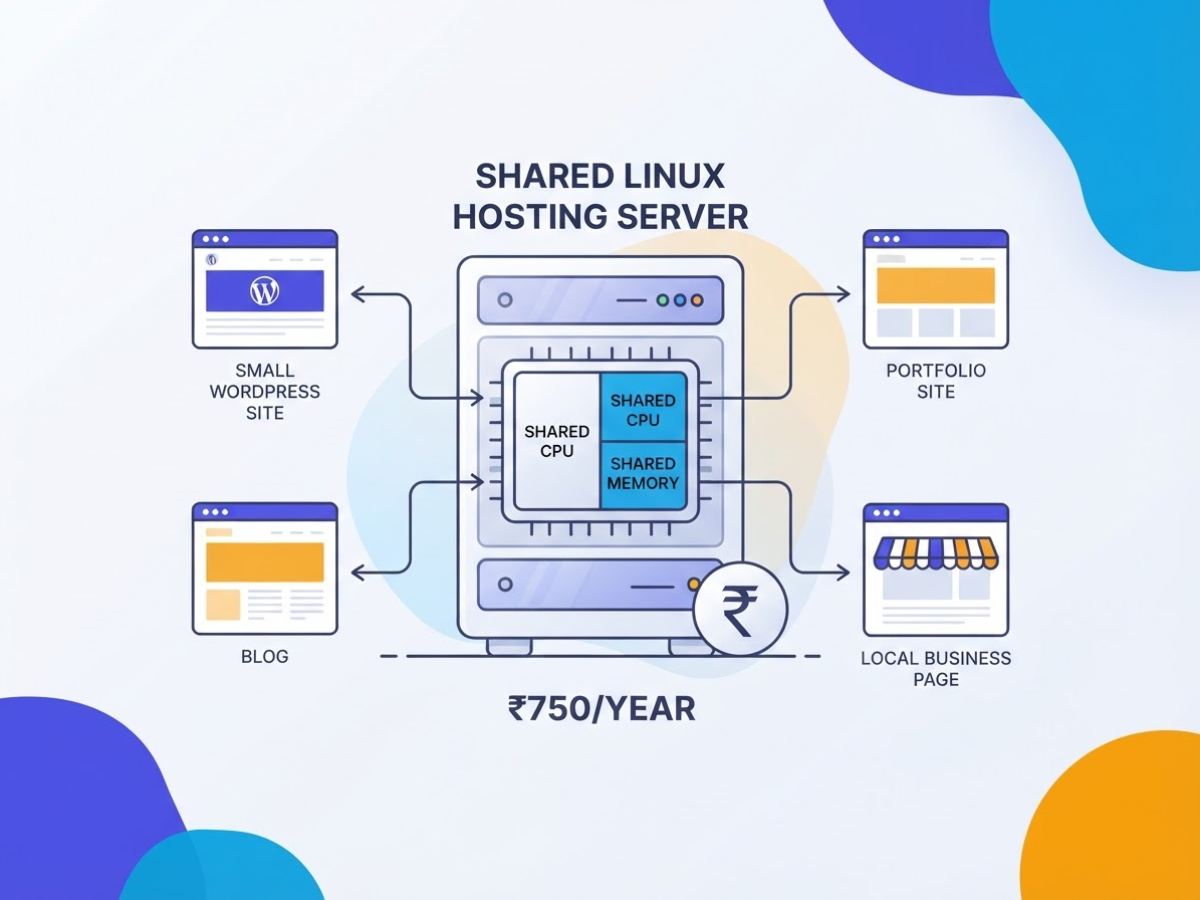
Affordable hosting usually means shared Linux hosting: your website uses a server alongside other customers. It is commonly the lowest-cost choice for a small WordPress site, portfolio, blog, or local business page because the server, control panel, maintenance, and support costs are divided between many accounts. The trade-off is shared CPU and memory, so a sudden traffic spike on another account can sometimes slow yours down.
When I help people compare plans, the biggest confusion is treating every included item as “hosting.” They are separate parts:
| Item | What it does |
|---|---|
| Web hosting | Stores your website files and runs them on a server |
| Domain name | The address visitors type, such as example.in |
| Email hosting | Creates addresses such as hello@example.in |
| SSL certificate | Encrypts the connection and enables HTTPS |
| Database | Stores WordPress content, products, users, and settings |
| Storage | Holds files, images, emails, and databases |
| Bandwidth | Covers data transferred when visitors load your site |
| Backups | Copies you can use after deletion, hacking, or a failed update |
A domain may cost extra, email may have mailbox limits, and “free SSL” does not automatically mean the provider keeps usable backups. Those details matter more than a large storage number. For a practical annual comparison, DomainAdda lists Starter Linux Hosting at ₹750 per year for one domain, with SSL, email IDs, databases, migration, disk space, and bandwidth included. You can compare these cheap Linux hosting inclusions before paying for extras.
Pro Tip: Treat unlimited storage and bandwidth as convenience claims, then verify the provider’s acceptable-use and backup policies before purchase.
“Unlimited” still sits inside fair-use rules, server capacity, inode limits, traffic patterns, and provider policies. A site packed with video files or sending bulk email can trigger restrictions even when the sales page says unlimited. That is an annoying surprise, particularly after a low introductory price ends.
For most small sites, check for:
- WordPress: PHP and MySQL or MariaDB, SSL, one-click installation, backups, and enough memory for plugins.
- Brochure sites: one domain, SSL, 5 to 10 GB storage, email, and simple file management.
- Blogs: databases, caching support, backups, and clear visitor or CPU limits.
- Basic business sites: email accounts, migration help, SSL renewal, and transparent renewal pricing.
Once these basics are clear, you can judge whether the cheapest annual plan actually fits your website.
Who Should Choose a Low-Cost Hosting Plan?
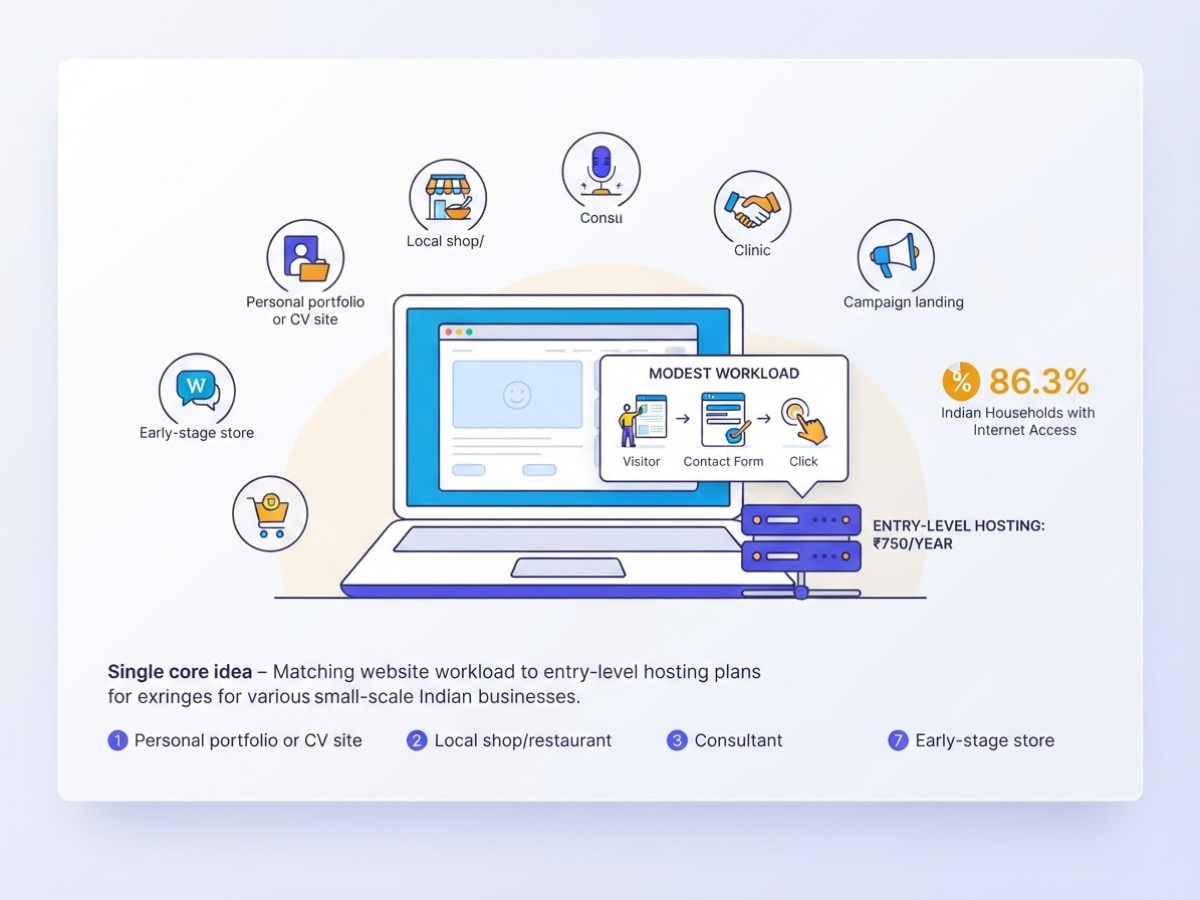
Your website’s workload matters more than the word “cheap.” I have put local service sites, portfolios, WordPress blogs, and campaign landing pages on entry-level plans without trouble. These sites usually handle modest traffic because visitors read a few pages, submit a form, or call the business rather than run complex processes.
Cheap hosting is usually a sensible starting point for:
- A personal portfolio or CV site
- A local shop, consultant, clinic, or restaurant website
- A landing page for one campaign
- A small blog or community forum
- An early-stage store with a limited product catalogue
India’s online audience is large enough that even a small business can benefit from a reliable site. The 2025 household survey reported internet access within the premises for 86.3% of Indian households (official survey result). Still, a sudden campaign, large image library, or busy checkout can expose the limits of shared hosting quickly.
| Your situation | Practical starting point |
|---|---|
| One site, under roughly 10,000 monthly visitors | Starter shared hosting |
| Two or three sites, blogs, or small stores | Multi-domain shared hosting |
| Several client sites or more than three projects | Unlimited-domain or reseller hosting |
| Heavy applications, high-concurrency shops, or custom server software | VPS or managed hosting |
Domain count often decides the plan faster than traffic. A freelancer with three client microsites should not buy a one-domain package, even if each site is tiny. DomainAdda lists Starter Linux Hosting at ₹750 yearly for one domain and Advance at ₹1,125 for three domains, with free migration, SSL, email IDs, and databases included in both plans (compare the Linux hosting plans).
Pro Tip: Estimate your next 12 months of websites and domains before buying; upgrading because of a second project can cost more time than choosing a three-domain plan initially.
Beginners should also check for cPanel or another clear control panel, responsive support, migration help, backups, and enough email accounts. Support matters when WordPress shows a database error at 11 p.m.; cheap hosting is not cheap if you must solve every server problem alone. If you need root access, custom software, sustained high traffic, or a busy store, review shared versus VPS hosting before committing. Your visitor forecast and CMS choice should guide the next budget decision.
DomainAdda vs Other Cheap Hosting Options
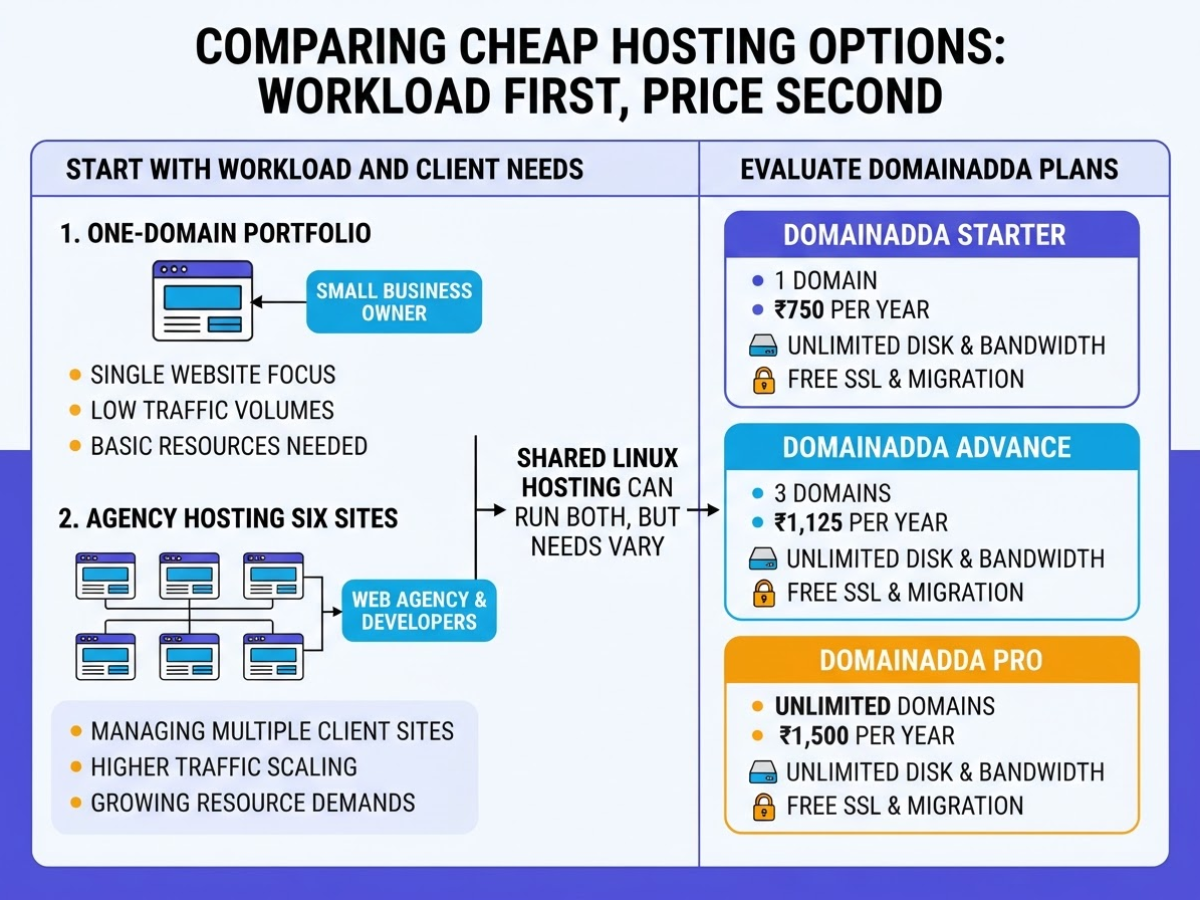
When I compare cheap hosting for a client, I start with the workload and contract, not the headline price. A one-domain portfolio has different needs from an agency hosting six small business sites, even when both can run on Linux shared hosting.
| Plan | Listed price | Domain or website limit | Included resources and extras |
|---|---|---|---|
| DomainAdda Starter | ₹750 per year | 1 domain | Unlimited disk space, bandwidth, email IDs, and databases; free SSL and migration |
| DomainAdda Advance | ₹1,125 per year | 3 domains | Unlimited disk space, bandwidth, email IDs, and databases; free SSL and migration |
| DomainAdda Pro | ₹1,500 per year | Unlimited domains | Unlimited disk space, bandwidth, email IDs, and databases; free SSL and migration |
| GoDaddy India Starter | ₹89 per month for the first 3-year term | 1 website | 10 GB NVMe storage, cPanel, Node.js, and 30-day money-back guarantee |
| GoDaddy India Economy | ₹219 per month for the first 3-year term | 1 website | 25 GB NVMe storage, cPanel, Node.js, free domain, free email, and SSL for 1 year |
DomainAdda’s listed Linux plans are easy to price: ₹750, ₹1,125, or ₹1,500 upfront for a year. The Pro plan costs twice the Starter plan, but that difference is modest if you host several client sites. Unlimited storage sounds impressive, although every host still applies acceptable-use and server-resource rules, so do not treat “unlimited” as permission to store backups, videos, or huge file archives.
GoDaddy’s Starter works out to ₹1,068 per year at the promotional rate, or ₹3,204 across the first three-year term. Economy works out to ₹2,628 per year, or ₹7,884 for that term. The lower GoDaddy tier gives you 10 GB of NVMe storage, while Economy adds 25 GB plus a domain, email, and one-year SSL. Those extras can matter, but the promotional term locks up more cash and the included items may change at renewal.
Pro Tip: Calculate the effective cost over the complete promotional term and the following renewal year; the cheapest first payment is not always the cheapest ownership path.
Do not stop at the first invoice. Check renewal pricing, whether the domain and email remain included, storage and CPU policies, support response times, backup frequency, restore charges, SSL terms, and whether migration is genuinely free. I have seen buyers save a few hundred rupees upfront, then discover that backups are an add-on or that moving a WordPress site requires paid help. This practical guide to cheap Indian hosting is useful when you want to compare those less visible costs before choosing a plan.
The right bargain is the plan that fits your sites and remains affordable after the introductory period, so next compare the features you will actually use.
How to Buy and Set Up Cheap Hosting in India
Before you pay, write down what the site actually needs. I use this short intake list when setting up client sites: do you already own the domain, how many websites will you host, which CMS will run them, do you need domain email, what traffic do you expect, and what can you spend each year? Skipping this step is how people buy a one-site plan and discover later that a second domain costs more than expected.
- Match the plan to your sites and features. Choose a plan that supports your number of domains, databases, SSL certificates, email accounts, and preferred control panel. For example, DomainAdda lists Starter Linux Hosting at ₹750 per year for one domain, Advance at ₹1,125 for three domains, and Pro at ₹1,500 for unlimited domains. All three list unlimited email IDs and databases, but do not choose unlimited storage as a reason to upload oversized videos or uncompressed backups. Compare the cheap Linux hosting plans before checkout.
- Register or connect the domain. Buy a new domain during checkout, or enter the domain you already own. If the domain sits with another registrar, keep the login available. You will either replace its nameservers with those supplied by the host or edit its DNS records manually. Nameserver changes can take time to reach different networks, so do not assume a failed visit five minutes later means the setup is broken.
- Install the site files. For WordPress, use the host’s installer, set a strong administrator password, and remove unused themes and plugins. For a custom site, upload the files to the correct document root through the file manager or SFTP. A common irritation is uploading the folder itself, which leaves visitors staring at a directory or the wrong index file.
- Create the database and turn on HTTPS. WordPress needs a MySQL database, database user, password, and host details. Enable the included SSL certificate, then force HTTP requests to redirect to HTTPS. Test both the homepage and an inner page, because mixed content often hides in old image URLs or embedded scripts.
- Create email accounts. Add addresses such as
hello@yourdomain.in, test sending and receiving, and check spam folders. Set the correct MX records if email is hosted elsewhere. Domain email is useful, but it can become a nuisance when DNS records point partly to your web host and partly to another provider. - Run a launch check. Open the site on Android, iPhone, and a desktop. Submit every form, verify phone numbers and address details, check backups, install basic security protection, and connect analytics. Test loading speed, responsiveness, and layout stability before promoting the URL. Google’s targets are LCP of 2.5 seconds or less, INP below 200 milliseconds, and CLS below 0.1. Once those checks pass, you can move on to judging whether the low-cost plan still fits your growing site.
Common Mistakes When Choosing Budget Hosting
The cheapest invoice can become the most expensive part of a website move. I have seen small businesses save a few hundred rupees upfront, then lose days fixing a failed migration, restoring missing files, or discovering that the renewal bill is several times higher.
Watch for these mistakes before choosing cheap website hosting in India:
- Comparing only the first-term discount: Write down the renewal price, tax, domain fee, SSL cost, email charges, and backup fees. A low introductory rate means little if you must pay more after 12 or 36 months.
- Assuming backups are included: Ask how often backups run, how long they remain available, and whether you can download them. A host-controlled backup is not enough. Keep an independent copy, following the same offline backup principle used for critical systems, before changing DNS or moving files.
- Ignoring support and migration limits: Free migration may cover one standard WordPress site but exclude custom code, email, databases, or a rushed recovery. Check support hours, ticket response times, escalation channels, and whether a person handles malware incidents.
- Letting someone else control the account: Register the domain in your business name, use your email address, enable renewal reminders, and record the transfer or authorization codes. Give a freelancer separate hosting access instead of sharing the owner login. Also check domain privacy and who receives renewal notices.
- Trusting vague uptime promises: “99.9% uptime” without a measurement method or compensation policy is just sales copy. Overloaded shared servers can still produce slow pages during busy periods, even when the server is technically online.
- Skipping resource and policy checks: Review CPU, RAM, inode, database, and bandwidth limits. Confirm acceptable-use rules, bulk email restrictions, malware cleanup fees, refund conditions, and suspension procedures. Hosting email for a newsletter may violate limits designed for normal business mail.
Before migration, export the database, download website files, save DNS records, list email accounts, capture screenshots, and note the current page speed and plugin versions. Keep that archive outside the hosting account, then monitor loading time, errors, CPU use, and storage after launch. A practical comparison of cheap Indian hosting options can help you check these terms before price becomes the only deciding factor.
With those risks documented, you can judge whether a low-cost plan is genuinely suitable or merely cheap at checkout.
When to Upgrade or Consider Alternatives
Shared hosting stops being good value when you spend more time working around limits than building the website. I have seen admin panels stall during routine updates, cron jobs fail without a useful error, and database-heavy WordPress sites slow down whenever traffic jumps. Those are upgrade signals, not just minor annoyances.
Watch for these symptoms:
- Resource-limit warnings that return several times a month
- Slow cPanel or WordPress admin screens, even when pages look fine
- Traffic spikes that produce 503 errors or sudden load-time increases
- Failed cron jobs for backups, imports, reports, or scheduled emails
- Growing email requirements, especially large mailboxes or many accounts
Your next option depends on how much control you need and how much server work you can handle:
| Option | Best fit | Responsibility |
|---|---|---|
| Higher shared hosting | A busier brochure site or blog | Provider handles the server; you still share resources |
| Reseller hosting | Several domains or client websites | You manage accounts, plans, and customer support |
| VPS | Custom applications, background workers, or database-heavy sites | You control the environment, patches, security, and monitoring |
| Managed WordPress | WordPress sites where you want hosting tasks handled | Provider manages more of the stack, usually at a higher price |
| Specialist cloud hosting | Unpredictable traffic or a specific application stack | You often pay for flexibility and must understand usage billing |
A domain portfolio or client work can justify Linux reseller hosting, particularly when separate control panels and billing matter. A custom application may need VPS access for system packages, queues, workers, or database settings. Do not buy a VPS just to sound serious. The maintenance burden is real, and an unsecured server can erase the savings quickly.
Before moving, copy files and databases, recreate email accounts, check DNS records, install SSL, test cron jobs, confirm redirects, and take a backup you can restore. Keep the old hosting active until forms, logins, mail delivery, and payment flows work on the new server.
Choose a provider with a clear upgrade path rather than overbuying infrastructure on day one. For a practical comparison of control and maintenance, review shared versus VPS hosting before committing to the next tier. The next decision is avoiding the budget-hosting mistakes that make a cheap plan expensive.
My Honest Take on Cheap Website Hosting in India
I would not define cheap website hosting in India by the smallest number on the checkout page. I have seen first-time site owners save ₹200 upfront, then pay more later when email, SSL, backups, or a domain move becomes necessary. For most small websites, I prefer a predictable annual plan that includes those basics and gives you enough domain capacity to avoid relocating the site six months later.
Here is my contrarian view: “unlimited” storage should rarely decide your purchase. A local shop website, consultant site, or small catalogue usually needs far less storage than it needs responsive support, sensible resource limits, usable backups, and a clear upgrade path. Unlimited labels can also distract you from acceptable-use rules and renewal pricing.
I usually start modest websites on shared Linux hosting, then check loading times, traffic, and resource usage before recommending a VPS. Moving too early adds cost and maintenance work that many owners do not need. DomainAdda’s one-domain, three-domain, and unlimited-domain tiers create a practical choice ladder, but I would still confirm current pricing, renewal terms, backup arrangements, and usage limits before paying. The right low-cost plan remains affordable after its introductory period and does not turn routine tasks, such as creating an email account or restoring a file, into a support ticket marathon.
— AVM Cloud Content Strategy Team
Start With Affordable Hosting That Fits Your Website
If you are launching an Indian website on a tight budget, DomainAdda is a sensible place to compare before paying for features you may not use. I would start with its cheap Linux hosting plans and match the tier to your actual project count: Starter covers one domain, Advance covers three, and Pro supports unlimited domains. SSL, email IDs, databases, and migration support are useful inclusions, especially if you are moving an existing site and do not want to handle every technical step yourself.
Do not choose Pro just because “unlimited” sounds safer. Check the current price, renewal terms, backup policy, and support limits first. It is also worth reading this DomainAdda hosting review before checkout. Pick the smallest plan that works today, with a reasonable upgrade path when your site count or storage needs increase.
Frequently Asked Questions
How much does website hosting cost in India per year?
Annual pricing depends on the provider, contract term, features, and renewal rate. DomainAdda lists Linux plans from ₹750 per year for 1 domain to ₹1,500 per year for unlimited domains, but check the current checkout total and renewal price before paying.
Is cheap web hosting safe for a small business website?
It can be safe if the plan includes SSL, regular backups, account security, and responsive support. Before buying, check at least 4 things: malware handling, resource limits, outage support, and whether you can download an independent backup.
Can I host WordPress on low-cost Linux hosting?
Yes, a basic WordPress site usually runs on Linux shared hosting when the plan supports PHP, a database, SSL, and enough storage and memory. Check the host’s current software versions, backup policy, caching options, and migration process, because cheap plans can become frustrating when a plugin hits a resource limit.
Do I need a domain and hosting separately in India?
Yes, your domain is the website’s address, while hosting is the server space that stores its files, although many providers sell both together. Compare the combined first-year and renewal prices, and keep the domain account in your own name so a third party cannot block access later.
What is the difference between monthly and yearly web hosting plans?
Monthly billing lets you leave sooner, while yearly billing often reduces the effective monthly price but requires a larger upfront payment. Compare the full 12-month promotional term, renewal rate, cancellation rules, and whether SSL or email features change after the first year.
Recommended reads
- Cheap Linux Hosting
- Shared Vs Vps Hosting Know Which Is The Best Option
- Web Hosting Vs Domain Name The Difference
- Domainadda Hosting Review Everything You Need To Know
Sources
- Shared Linux Hosting – DomainAdda
- Web Hosting | Lightning Fast Hosting & One Click Setup – GoDaddy
- Press Release of Telecom Subscription Data-September-25_English-27.09.2025_corr
- Understanding Core Web Vitals and Google search results | Google Search Central
- Results of Comprehensive Modular Survey: Telecom, 2025
- Shopping Cart – DomainAdda
- Hyperbunker
Buy Cheap Domain : India Buying Guide
22/10/2026[…] to a working site and a proper business inbox. If you need the next piece, review this guide to choosing affordable hosting for your website. Hosting and email add cost, so compare them rather than adding extras automatically. At checkout, […]