

Cheapest Cloud Hosting: A Practical Guide
TL;DR: The cheapest cloud hosting plan is not always the one with the lowest advertised monthly price, so compare at least two prices: the introductory rate and the renewal rate, then check IPv4, bandwidth, storage, region, backups, and support charges. This guide compares low-cost and free options and gives you a practical way to choose a plan that fits your website, budget, and technical ability.
The cheapest cloud hosting price can fool you before you deploy anything. A $2.50 instance sounds like an obvious bargain, but an IPv6-only server may not work for a client, mail service, or application that expects public IPv4 access. Vultr lists its $2.50 entry-level Cloud Compute plan as IPv6-only, with 1 vCPU, 0.5 GB memory, 10 GB storage, and 0.50 TB bandwidth, which is why I never compare the headline number alone. This guide shows you how to calculate total cost, match cheap cloud servers to suitable workloads, check free-tier limits, avoid surprise charges, and decide when affordable shared hosting is the more practical choice.
| Point | Details |
|---|---|
| Compare Total Cost | Add IPv4, backups, storage, bandwidth, taxes, setup fees, and renewal prices before choosing the lowest-cost plan. |
| Check Access Needs | A $2.50 IPv6-only instance may fail if your visitors, APIs, or applications require public IPv4 connectivity. |
| Match Resource Needs | Start with the smallest workable CPU, memory, storage, and transfer allocation, but reserve capacity for traffic spikes and software overhead. |
| Question Free Tiers | Free hosting can suit testing or learning, but regions, quotas, eligibility rules, and usage limits may make it unsuitable for production. |
| Weigh Managed Options | Affordable shared hosting may cost less overall when you need a control panel, support, email, backups, and fewer server-admin tasks. |
What Counts as the Cheapest Cloud Hosting?
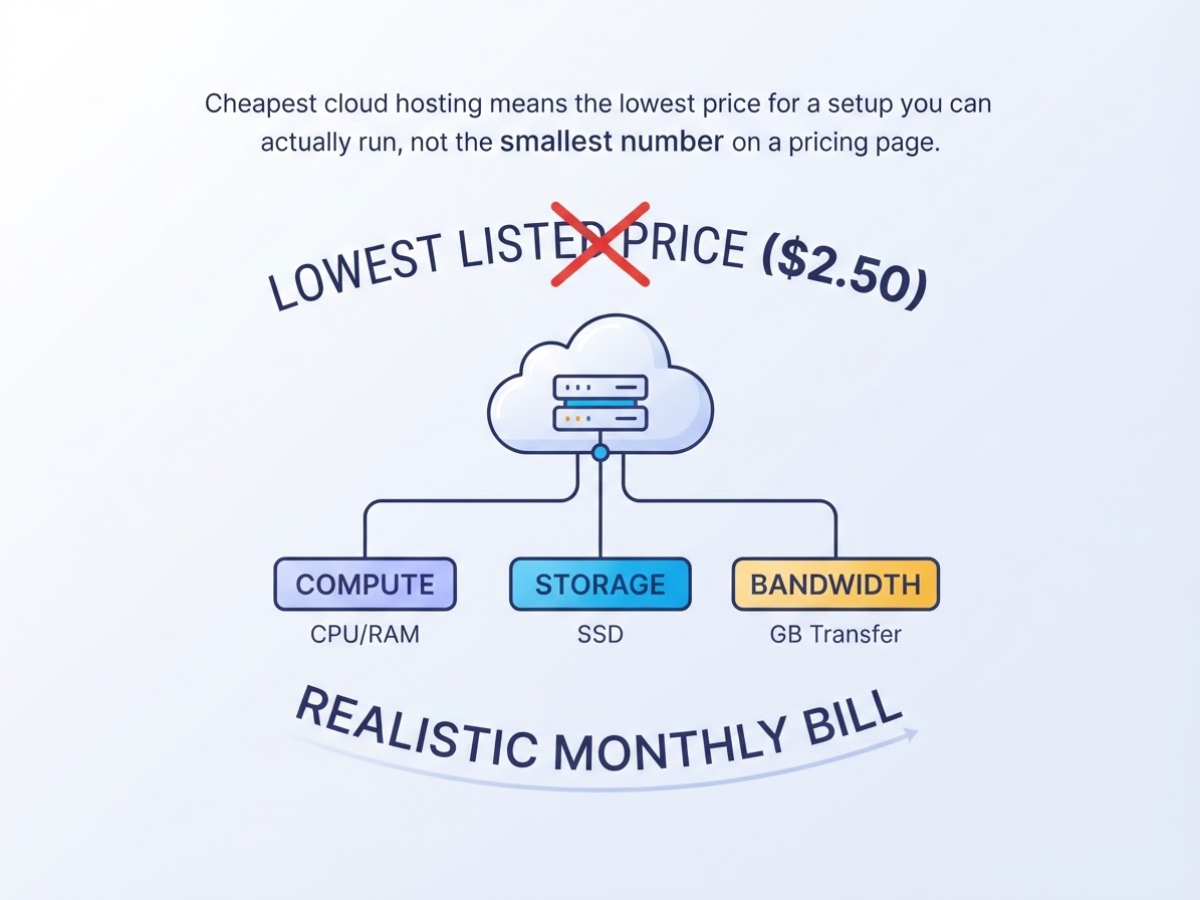
Cheapest cloud hosting means the lowest price for a setup you can actually run, not the smallest number on a pricing page. In practical terms, cloud hosting gives you an on-demand virtual server or cloud service. You pay for metered resources such as processor time, memory, disk space, data transfer, and sometimes the hours your instance stays active.
The advertised base price is only the starting point. Your realistic monthly bill may include:
| Cost item | Why it can change the price |
|---|---|
| Compute | The virtual machine, CPU, and memory your site uses |
| Storage | SSD space for files, databases, and logs |
| Bandwidth | Traffic allowances and overage charges |
| Backups and snapshots | Separate protection for restoring your server |
| Public IPv4 | Often charged separately, especially on IPv6-first plans |
| Tax | VAT, GST, or sales tax added at checkout |
For example, Vultr lists an entry-level Cloud Compute instance at $2.50 per month. It includes 1 vCPU, 0.5 GB of memory, 10 GB of storage, and 0.50 TB of bandwidth, but it is IPv6-only. That can work for testing or a carefully configured application. It can also become a nuisance when an email provider, API, monitoring service, or older visitor network expects IPv4. Adding an address, backup, or more storage changes the comparison.
Pro Tip: Price a realistic 30-day configuration—including a public IP, backup, and storage—before treating any provider’s entry price as the cheapest option.
You also need to compare the kind of hosting, not just the server size. Unmanaged cloud infrastructure usually gives you a bare virtual machine. You handle Linux updates, firewalls, web-server setup, malware cleanup, and recovery. Managed hosting includes more operational help, while shared hosting places several websites on one managed server. If you are unsure where a VPS fits, this shared versus VPS hosting comparison helps clarify the trade-off.
My effective-cost test is simple: divide the complete monthly bill by the compute, storage, traffic, and support your project actually needs. A $2.50 server that costs you three hours of troubleshooting is not cheaper than a $6 plan that includes the missing basics. Next, compare providers using that usable monthly cost rather than their headline entry price.
Cheapest Cloud Hosting Options Compared by Real-World Cost
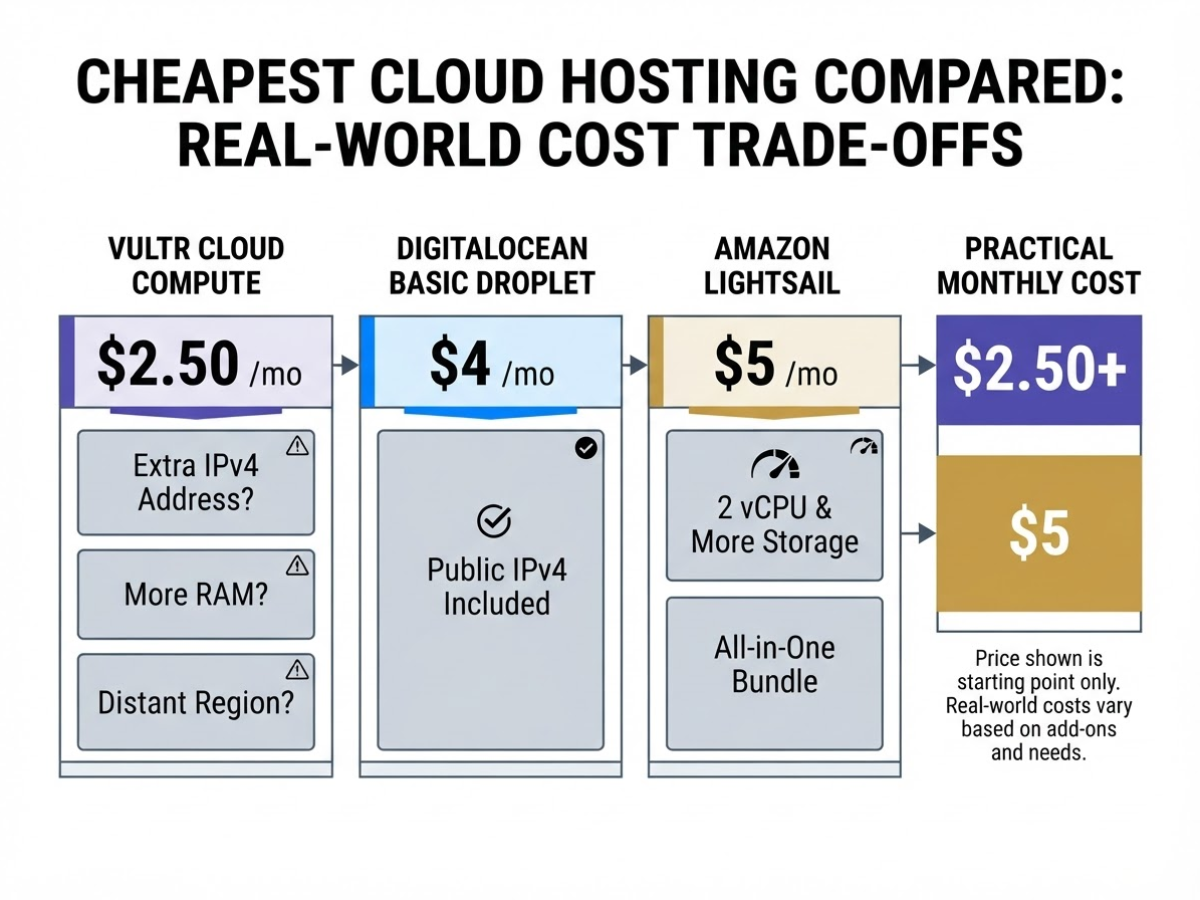
When I compare low-cost servers for a small business site, the monthly price is only the starting point. A $2.50 instance that needs an extra IPv4 address, more RAM, or a distant region can cost more in practice than a $5 bundle. This table keeps those trade-offs visible.
| Provider and entry plan | Price | vCPU | Memory | Storage | Transfer | IPv4 status | Typical region | Management level |
|---|---|---|---|---|---|---|---|---|
| Vultr Cloud Compute | $2.50/mo | 1 | 0.5 GB | 10 GB | 0.50 TB | IPv6 only | Multiple global regions | Self-managed |
| DigitalOcean Basic Droplet | $4/mo | 1 | 512 MiB | 10 GB SSD | 500 GB | Public IPv4 available | Multiple global regions | Self-managed |
| Amazon Lightsail Linux/Unix | $5/mo | 2 | 0.5 GB | 20 GB SSD | 1 TB | Included | AWS regions | Self-managed, simpler console |
| Hetzner CX23 | €5.49/mo | 2 | 4 GB | 40 GB | 20 TB | Extra charge, excluded | Germany or Finland | Self-managed |
Vultr’s $2.50 plan looks like the cheapest cloud hosting here, but IPv6-only access creates immediate friction. Some email tools, APIs, monitoring services, and older visitors still expect IPv4. You can add an address where available, but that weakens the headline saving.
DigitalOcean’s Basic Droplet starts at $4 monthly with 1 vCPU, 512 MiB RAM, 10 GB SSD storage, and 500 GB transfer. It is a sensible fit for a small Linux site, though 512 MiB becomes uncomfortable once you add a control panel, database, backups, and several plugins. Lightsail costs $5 for 0.5 GB RAM, 2 vCPUs, 20 GB SSD storage, 1 TB transfer, and a public IPv4 address. The bundle is easier to understand, but AWS billing and account settings can still feel needlessly fiddly.
Hetzner gives the most hardware for the listed price. Its CX23 is €5.49 per month after the June 15, 2026 adjustment, with the listed price excluding IPv4. Germany and Finland may work well for European users, but they can add latency for visitors in India, Asia, or North America and may not satisfy data-location requirements.
Pro Tip: Compare the price of the smallest plan that meets your memory requirement, because RAM limits often become the first bottleneck for control panels, databases, and CMS sites.
More CPU or bandwidth does not automatically make a plan better. For a low-traffic brochure site, unused resources are just money tied up; use this shared versus VPS hosting comparison to judge whether you need a virtual server at all. The next comparison should look beyond the advertised monthly rate and account for backups, IPv4, and administration time.
How to Choose the Cheapest Cloud Hosting for Your Project
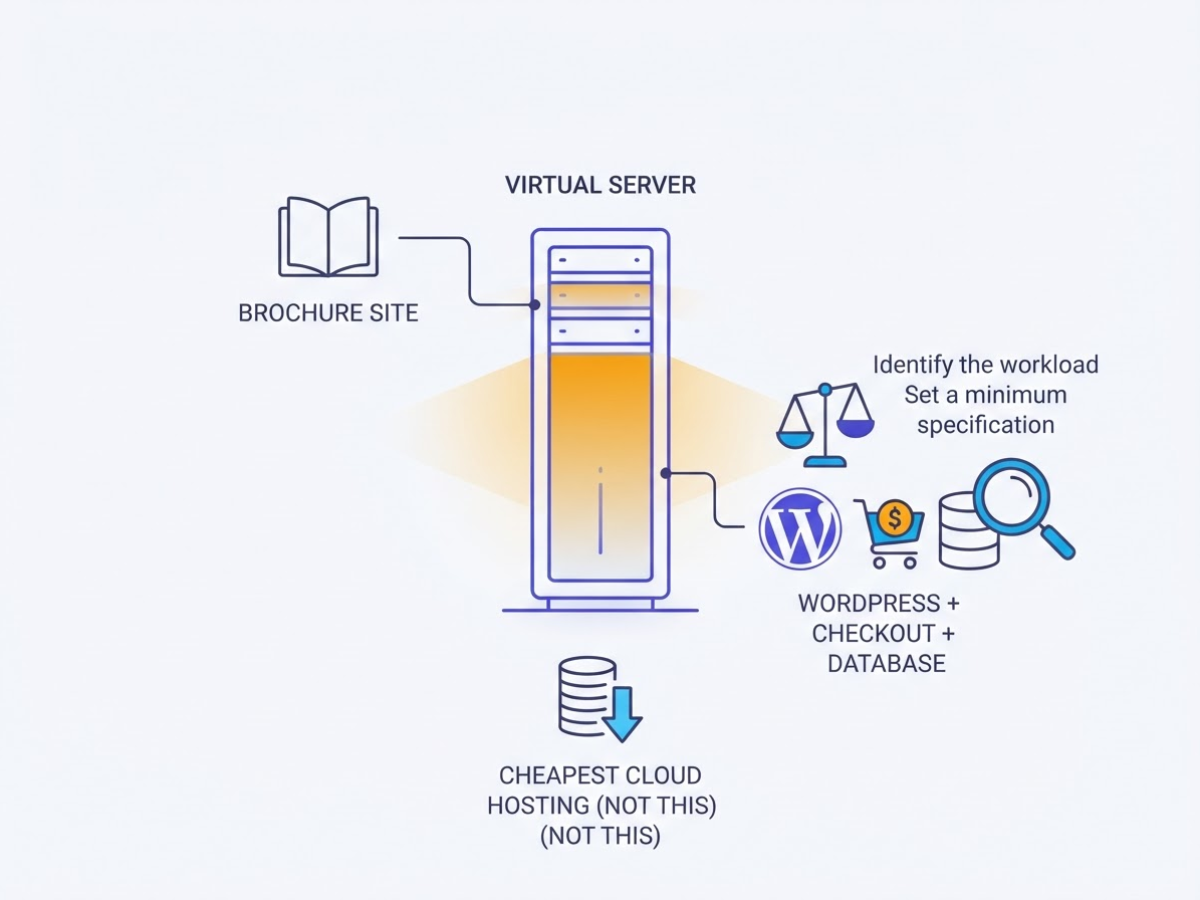
I start every hosting decision with the application, not the advertised monthly price. A tiny virtual server can suit a brochure site and fail badly when WordPress, a checkout process, or a database enters the picture.
- Identify the workload. Write down whether you need a static site, WordPress site, online store, API, development server, database, or several websites. A static site may need little CPU, while WooCommerce needs memory for PHP workers, MySQL, and traffic spikes. If you are unsure whether shared hosting or a virtual server fits, compare the trade-offs in this shared versus VPS hosting guide before pricing plans.
- Set a minimum specification. Estimate CPU cores, RAM, disk space, monthly bandwidth, operating system, and public IPv4 requirements. For a small Linux test server, you might start at 1 vCPU, 1 GB RAM, 25 GB SSD, and 1 TB transfer, but do not force a database-heavy site into that budget. IPv6-only plans can look cheapest, yet they may frustrate visitors or services that still require IPv4.
- Choose the region. Put the server near your visitors, then check data-location rules and whether the provider actually offers your preferred plan there. A cheap region is not cheap if Indian visitors wait on a distant server or your business cannot meet its storage requirements. Run a latency test from your main audience before committing.
- Calculate the complete monthly bill. Add the server, backup storage, snapshots, outbound-transfer overages, extra IPv4 addresses, managed services, and taxes. Record included quotas in gigabytes and hours, not just the headline price. A $5 server can cost much more after a backup plan and an additional address appear on the invoice.
Pro Tip: Set a monthly spending alert before deploying and record the exact included quota for every paid resource so a traffic spike does not become a billing surprise.
- Check administration needs. Confirm SSH access, your preferred control panel, managed updates, monitoring, support hours, and backup restoration. Cheap hosting becomes expensive when you lose an afternoon fixing a panel or rebuilding a failed server.
- Trial the smallest sensible plan. Run real pages and background jobs for 7 to 14 days. Upgrade when memory stays above 80%, response times breach your target, traffic regularly nears the quota, or 5xx errors increase. Keep notes on actual usage, then compare that bill with the next plan before growth forces a rushed move.
This workflow gives you a defensible shortlist before you compare providers and their real-world prices.
Common Cheapest Cloud Hosting Mistakes That Raise the Bill
The cheapest invoice I have seen turn expensive usually looked harmless at checkout. The trouble appeared after deployment, when a client discovered that the server could not connect to a required service, had no usable restore point, or needed an upgrade within the first week.
Watch for these mistakes before you order:
- Buying IPv6-only by accident: A $2.50 Vultr instance can look unbeatable, but that entry plan is IPv6-only and includes just 0.5 GB of memory. Some payment gateways, customer networks, monitoring tools, and older integrations still expect IPv4. Adding an address later, if the provider supports it, changes the comparison.
- Comparing only the server rental: Backups, snapshots, managed databases, object storage, and outbound transfer can each create a second bill. I have seen people budget for a $5 server and forget that daily snapshots or a busy media site cost more than the virtual machine.
- Underbuying RAM: Half a gigabyte may run a tiny static site, but a control panel, WordPress with several plugins, MySQL, mail services, and security scans can exhaust it quickly. Swapping starts, slow admin screens, and out-of-memory errors are not savings. If you are unsure whether a VPS fits your workload, this shared versus VPS hosting comparison helps frame the trade-off.
- Treating a credit as the production price: Free tiers and promotional credits end. AWS, for example, gives eligible new customers credits, but you should calculate the monthly bill after those credits reach zero.
- Ignoring public IPv4 pricing: AWS includes 750 hours per month of public IPv4 address usage for eligible EC2 customers, then charges $0.005 per IP per hour beyond that allowance, as AWS explains in its IPv4 pricing announcement. One address used continuously can therefore add about $3.60 per month after the allowance. That materially changes a low-cost comparison.
- Choosing a distant region: Saving a small amount in another country can mean slower page loads, higher latency for database requests, and data-residency problems. The cheapest location is not cheap if your visitors wait or your contract requires local processing.
- Running unmanaged without a plan: Someone must handle patches, firewall rules, monitoring, restore tests, and incident response. “I will do it later” usually means the first security update happens after an outage.
Price the complete operating setup, not just the promotional server line. The next comparison should focus on what each provider includes before you commit.
When Free Cloud Hosting or Shared Hosting Is the Better Deal
Free cloud hosting makes sense when the project can tolerate interruption, manual setup, and a little billing anxiety. I use these tiers for learning Linux, testing deployments, showing a prototype to a client, running an internal tool, or building a low-risk development environment. I would not put a business-critical store on one and assume “free” means permanent production hosting.
Here is how the main offers differ:
| Free option | What you can get | The catch |
|---|---|---|
| Oracle Cloud Always Free | Up to two AMD VM.Standard.E2.1.Micro instances, or Ampere A1 resources equivalent to 2 OCPUs and 12 GB memory | Capacity, quotas, availability, and architecture compatibility can complicate setup |
| Google Cloud Free Tier | One non-preemptible e2-micro each month in Oregon, Iowa, or South Carolina, plus 30 GB-months of standard disk | The region restriction matters, and other resources can still create charges |
| AWS introductory offer | New customers can receive up to $200 in credits and explore more than 30 always-free services for up to six months | Credits expire, eligibility applies, and usage outside the offer is billable |
Oracle’s Always Free AMD instances are useful for a tiny web server, while the Ampere allocation is more attractive when your software supports ARM. Google’s e2-micro is fine for a basic test site, but serving users far from its eligible U.S. regions can add latency. AWS gives you room to experiment, not a promise of a free server forever.
Expect account verification, quota changes, resource shortages, and occasional confusing console warnings. Providers may require a payment card even when your intended workload costs nothing. Set budget alerts, remove unused disks and IP addresses, and check expiration dates before the first deployment. One careless database backup or outbound transfer spike can turn a free experiment into a paid account.
Shared hosting is often the cheaper deal in practical terms. For a brochure site, small WordPress website, or basic email setup, you usually get a control panel, SSL tools, backups, and support without configuring Linux, firewalls, updates, or mail records yourself. cPanel-style management also saves time when you need to create mailboxes or install WordPress at 11 p.m. The limitations are real: noisy neighbours, fixed software versions, weaker isolation, and less control over server settings.
If you are weighing those trade-offs, this shared versus VPS hosting comparison is a useful reality check. Choose cloud when you need server-level control or custom software. Choose managed or shared hosting when simplicity, support, email, and predictable billing matter more than infrastructure control.
The next section looks at the mistakes that quietly turn a cheap hosting plan into an expensive one.
My honest take on cheapest cloud hosting
I’ve reviewed enough hosting bills to know that the lowest number on a pricing page is often a trap. A $2.50 cloud instance can be a poor choice for a business site if it is IPv6-only, unmanaged, or too small to run the application without constant troubleshooting. The monthly fee looks cheap until you add backup storage, an IPv4 address, control-panel software, support time, and the cost of fixing a misconfigured server.
That is my contrarian view: predictable shared hosting can deliver better value than cheap cloud hosting. If you need email, automatic backups, a control panel, or simple WordPress administration, paying for a managed plan may save hours every month. I find customers regularly underestimate the annoyance of updates, firewall rules, mail delivery, and recovery after a failed change.
Cloud hosting makes more sense when I’m deploying a custom application, staging environment, or workload that needs root access and flexible resource changes. I would start with the smallest sensible instance, monitor CPU, memory, storage, and bandwidth for 30 days, then upgrade only after measurable limits appear. Location, IP requirements, and your own operating time matter more than a provider’s headline price. There is no universally cheapest provider, only a cheaper fit for a specific workload.
— AVM Cloud Content Strategy Team
Need Affordable Hosting Without the Cloud Complexity?
When I help Indian businesses choose hosting, the biggest mistake is paying for server control they will never use. AVM Cloud, operated by DomainAdda, suits a simpler job: launch a business site, store the required files, manage email, and get help without handling server administration. The trade-off is clear. If you need root access, custom infrastructure, or unusual server settings, standard hosting may feel restrictive, so cloud hosting remains the better fit.
Before choosing a plan, estimate your website type, storage, monthly traffic, email accounts, and likely support questions. Also check current inclusions and renewal terms, since the introductory price is not the whole cost. You can compare the details in this practical guide to affordable hosting in India or read this detailed AVM Cloud hosting review before deciding.
Frequently Asked Questions
Is $5 a month enough for cloud hosting?
It can cover a small test site, lightweight application, or low-traffic website, but your bill may rise with backups, extra storage, a public IPv4 address, taxes, or outbound data transfer. Before deploying, check the included CPU, memory, disk space, bandwidth, and support because a cheap server can become frustrating when you need to fix everything yourself.
Can I host WordPress on the cheapest cloud server?
Yes, but a 1 GB memory server can struggle with WordPress plugins, traffic spikes, and background tasks, while you handle Linux, the web server, databases, security, and backups manually. If you want a control panel and someone else to manage routine maintenance, shared or managed hosting is usually worth the higher monthly price.
What is the difference between cheap cloud hosting and shared hosting?
Cloud hosting usually gives you server-level control, isolated virtual resources, and options such as root access, while shared hosting places multiple websites in a provider-managed environment. I would choose cloud hosting for custom software or a required server configuration, but shared hosting is less annoying for a basic website and often costs less to administer.
Is free cloud hosting safe for a business website?
Free tiers can work for prototypes, learning projects, and low-risk sites, but they may include region limits, usage quotas, trial credits, or billing conditions that are easy to miss. For a business site, keep at least 2 tested backups, monitor usage, and maintain a migration plan instead of treating a free resource as permanent infrastructure.
Do cheap cloud servers include a public IPv4 address?
Not always: some low-priced instances are IPv6-only, while others include one IPv4 address or charge separately for it. Confirm the address type and monthly allowance before hosting a service that must support IPv4-only visitors, older integrations, or management tools.
Recommended reads
- Cheap Indian Hosting A Practical Buying Guide
- Cheap Website Hosting India A Practical Guide
- Shared Vs Vps Hosting Know Which Is The Best Option
- Domainadda Hosting Review Everything You Need To Know
Sources
- High Performance, High Frequency, Bare Metal, Affordable Cloud Computing – Vultr.com
- Droplet Pricing | DigitalOcean
- Amazon Lightsail Pricing
- Hetzner Price Adjustment 15 June 2026 – Hetzner Docs
- Always Free Resources
- Free Google Cloud features and trial offer | Google Cloud Free Program
- Free Tier FAQs
- AWS Free Tier now includes 750 hours of free Public IPv4 addresses, as charges for Public IPv4 begin